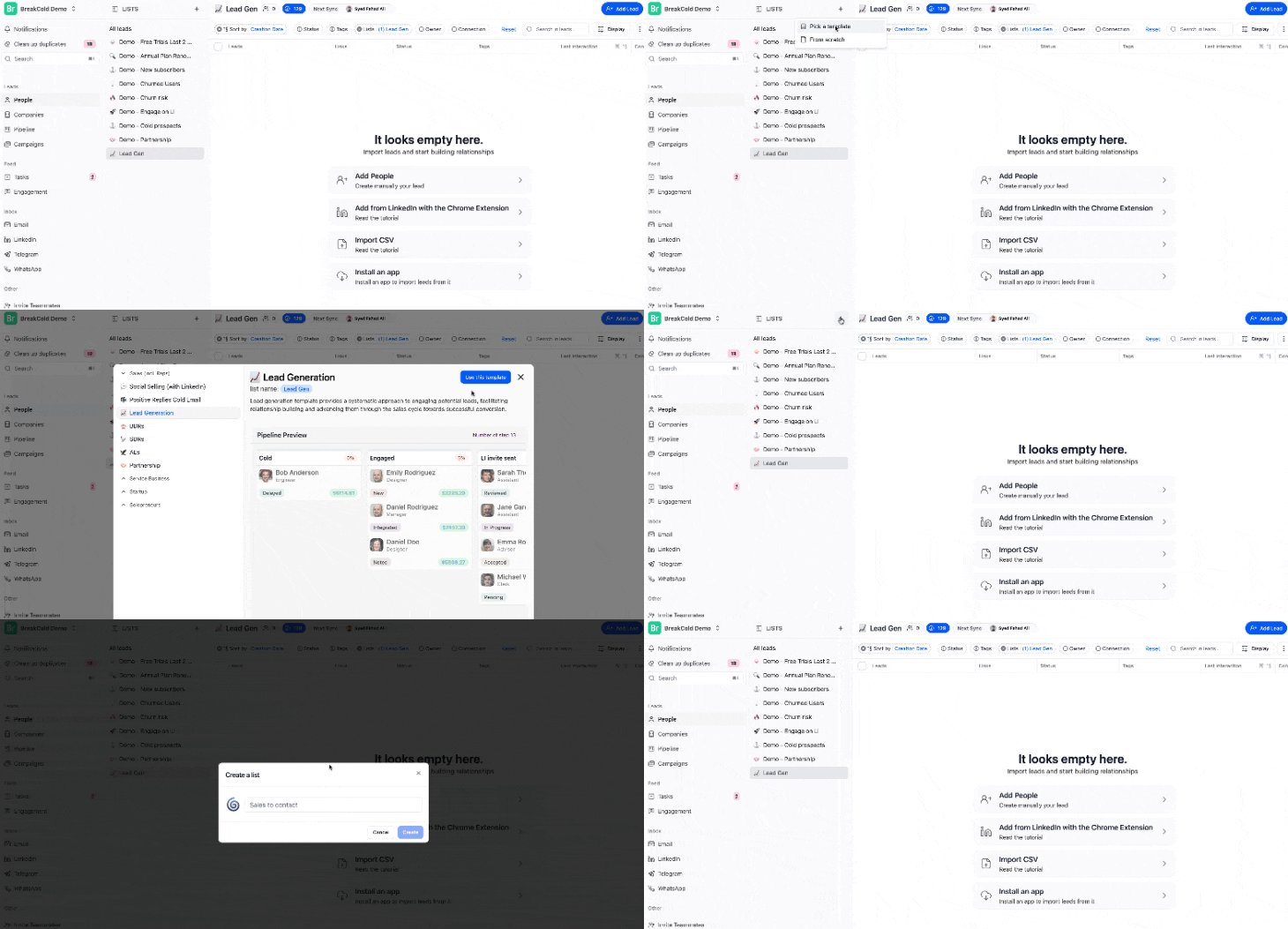
Create a Lead List
Click the ➕ button to start:- Choose a template to get started quickly, or
- Build your own list from scratch
Customize Your View
Use these tools to organize your workspace:- Sort: Sort leads by date, name, or other attributes (ascending or descending)
- Multiple Sorts: Add more than one sorting rule to personalize the order
- Filters: Narrow down leads using filters like:
- Status
- Tags
- List
- Owner
- And more
Find What You Need Fast
- Use the search bar to quickly find specific leads
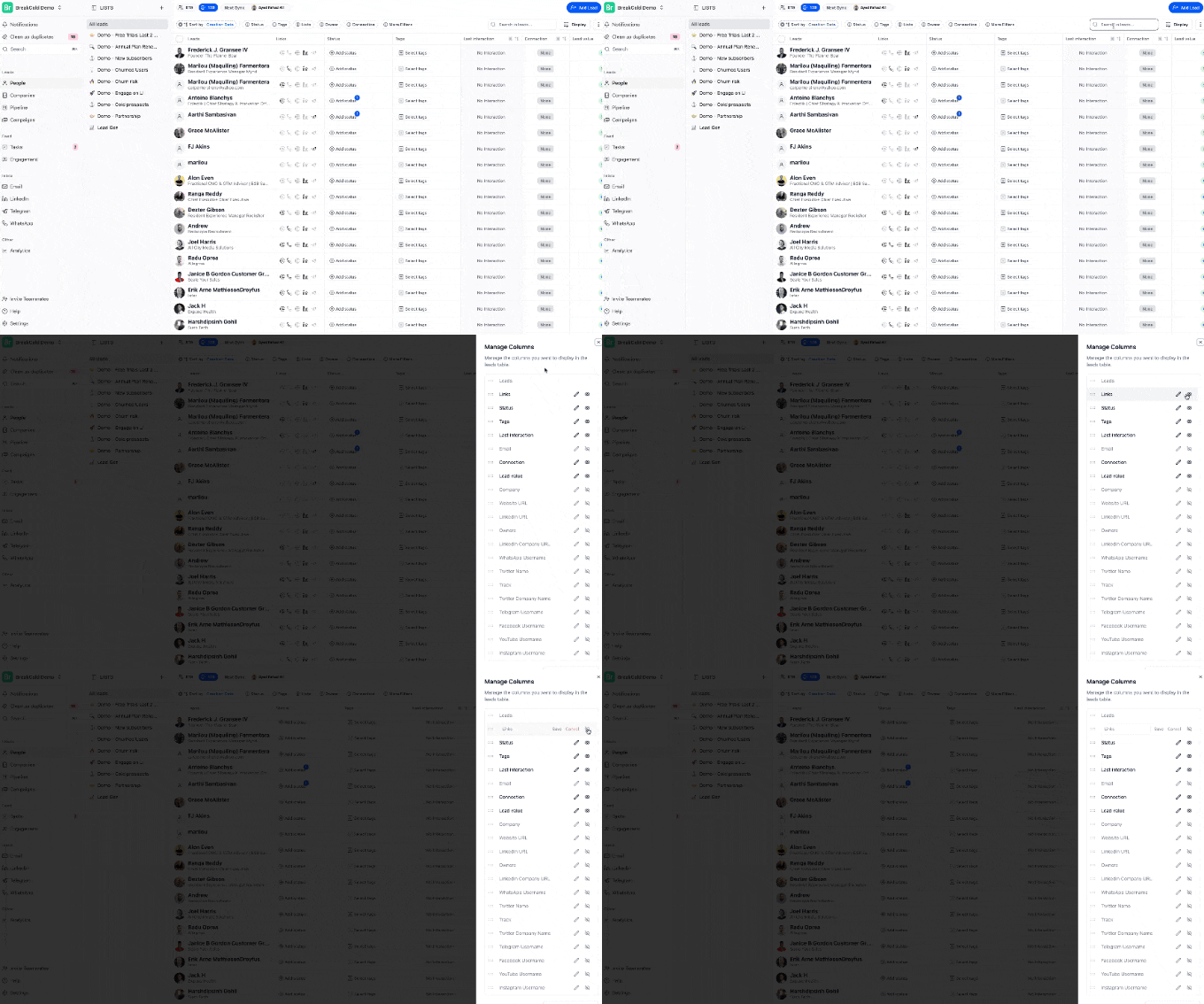
- Adjust your columns using the display settings:
- Show or hide native fields (like name or company)
- Add your own custom attributes, tags and status
Use Advanced Options
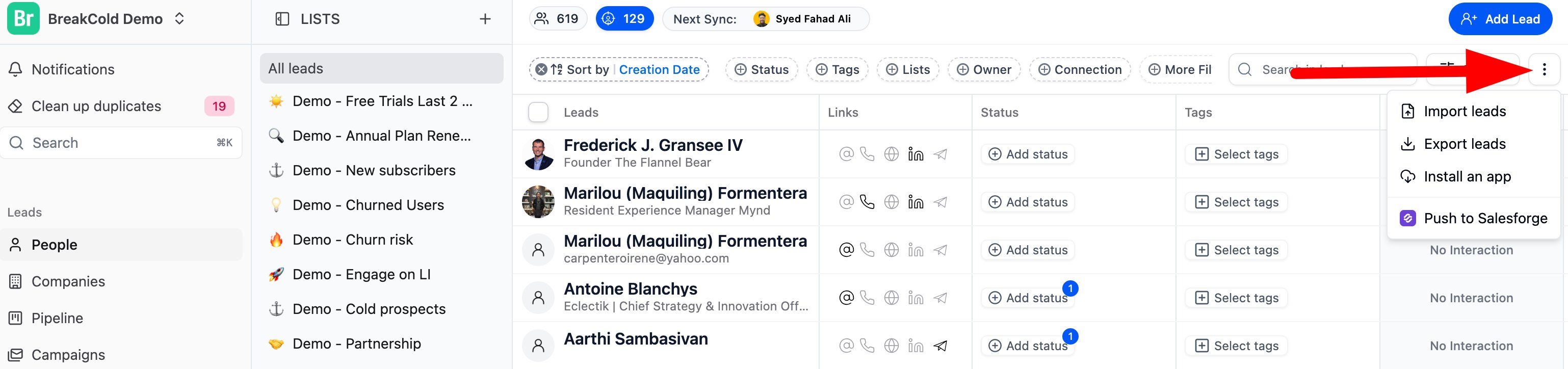
Click the three dots (⋯) for more options:- Import or export leads
- Install integrations
- Push leads to Salesforce (if enabled)
Work Directly from the Dashboard
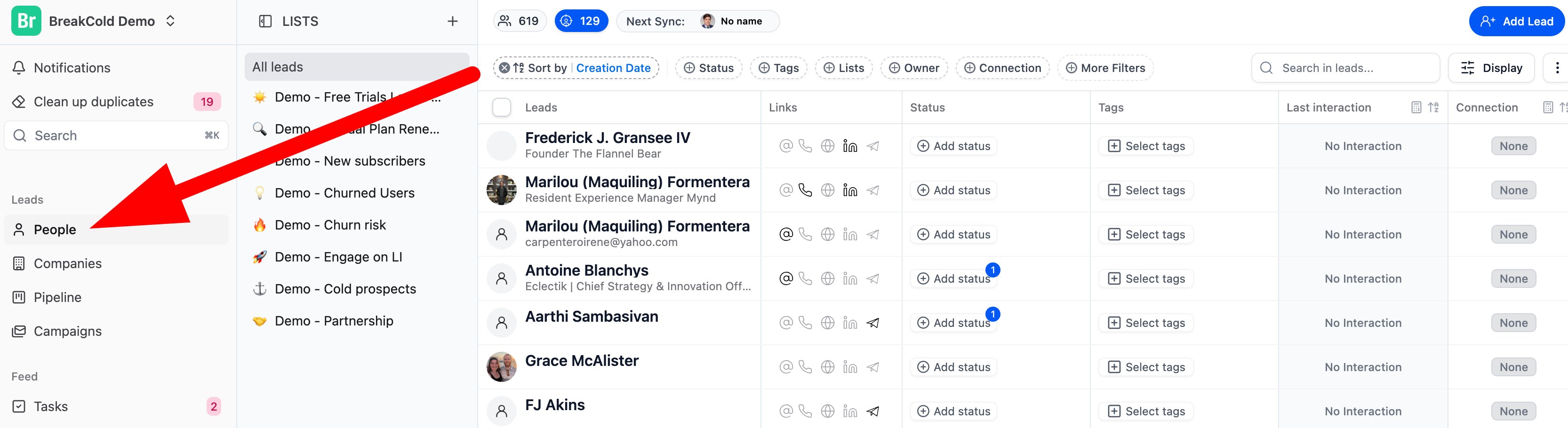
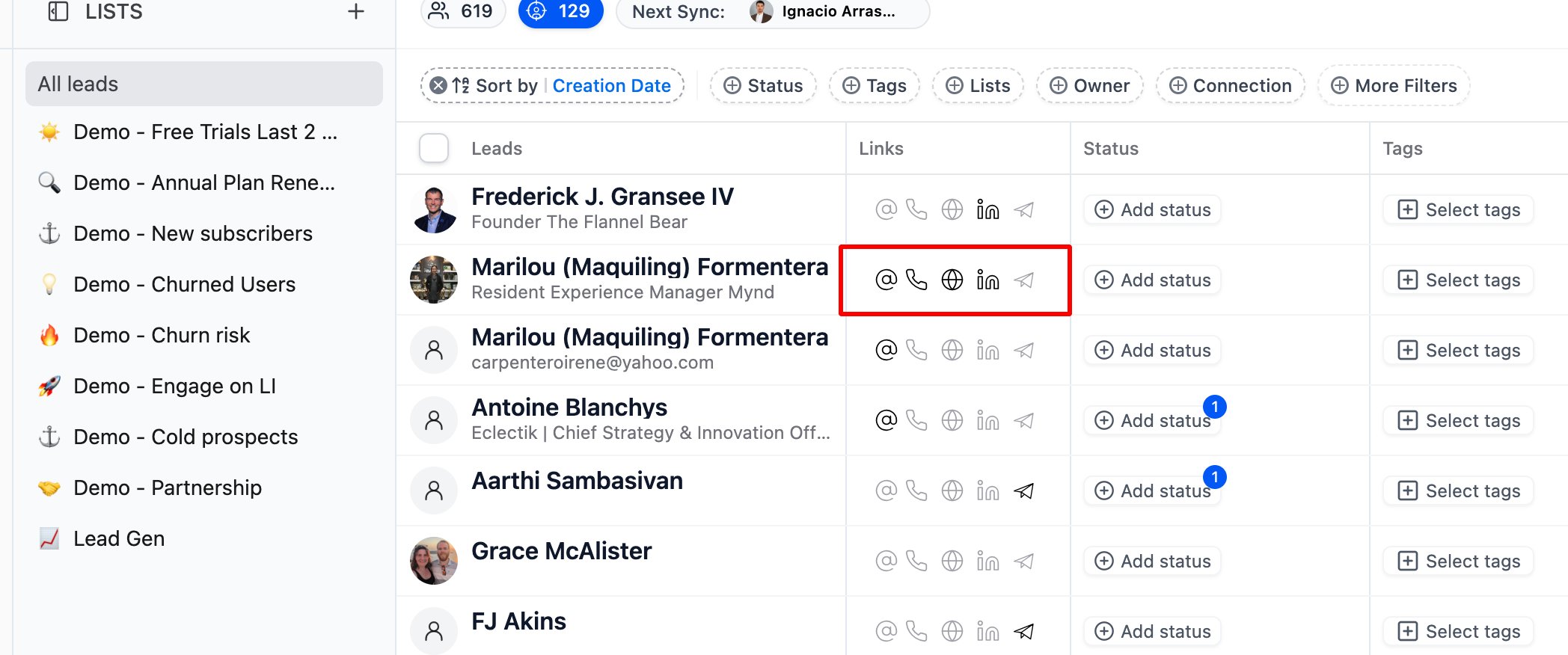
From the Links column, you can:- Make calls
- View email address
- Open LinkedIn profiles
- Access Telegram (if integrated)
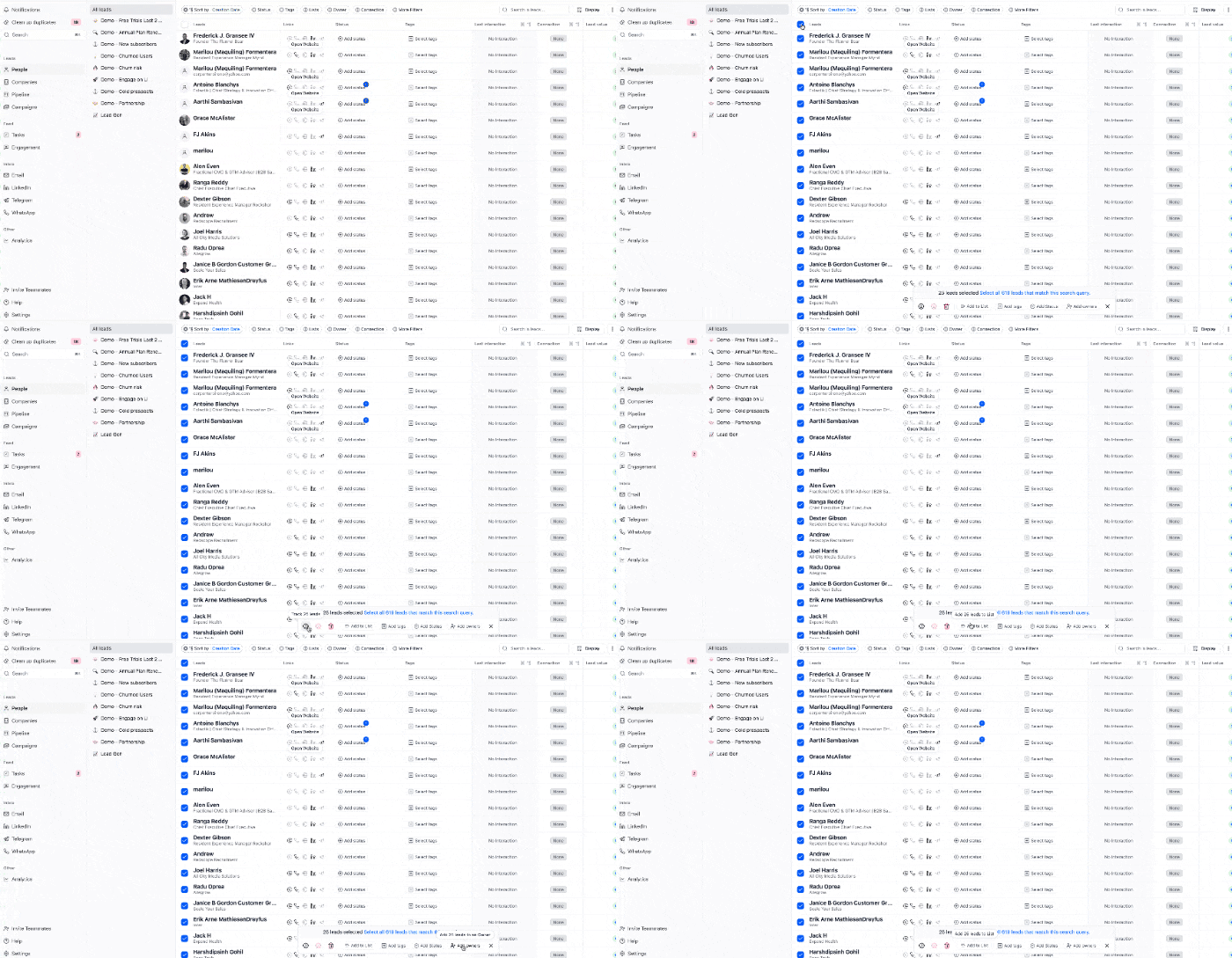
Bulk Actions
Select multiple leads to perform bulk actions:- Add or move to a list
- Apply tags or statuses
- Assign owners
- Delete or remove from lists
- Track or untrack leads