

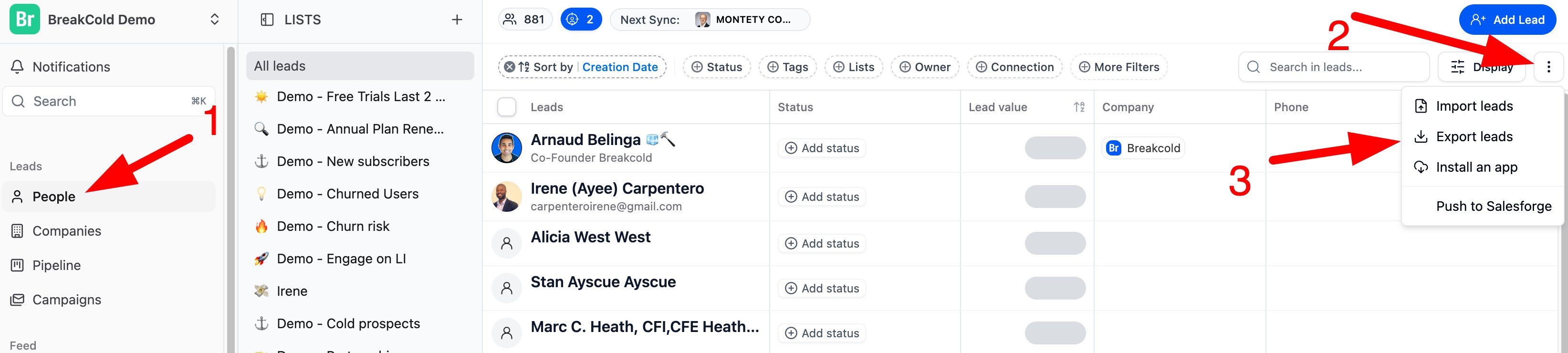
- Navigate to the People tab (this is where all your leads are listed)
- Click the three dots (•••) in the top-right corner of the screen
- Select Export
- A CSV file with your lead data will be generated and downloaded
✅ Tip: If you’ve applied filters (e.g., by tag or pipeline stage), only the filtered leads will be included in the export.