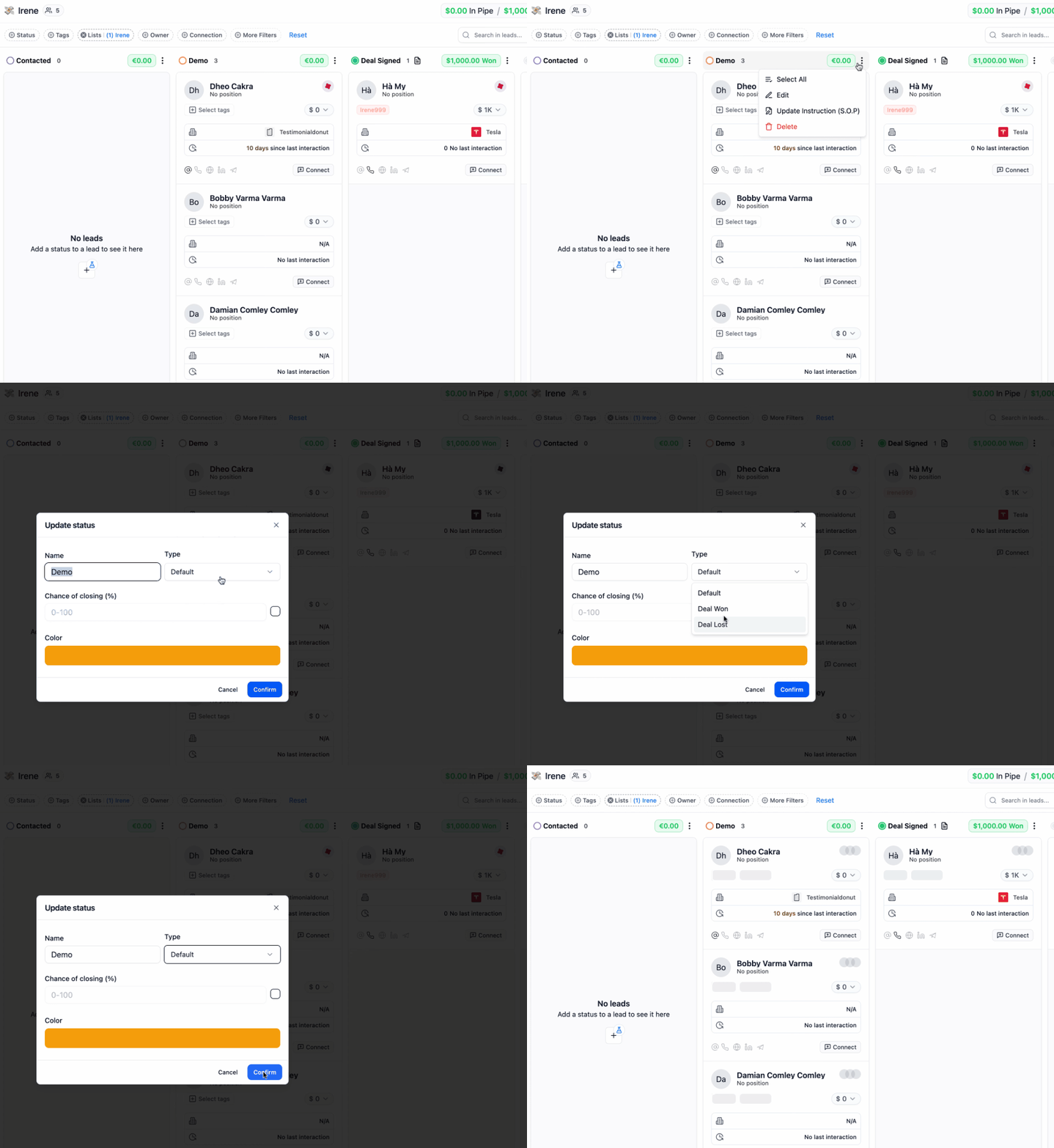
How to Identify or Set the Status Type in Your Pipeline
When editing your pipeline stages, you’ll see a status type selector or label next to each stage. This helps you identify or assign the type of status:- Deal Won – Marked with a “Won” label. This indicates a successfully closed deal.
- Deal Lost – Marked with a “Lost” label. Used for deals that didn’t go through.
- Default – Any other status is considered “default”, representing stages in progress (e.g., Contacted, Demo Scheduled, Proposal Sent).
To Change or Confirm the Status Type:
- Click the 3 vertical dots next to a pipeline stage.
- Select Edit.
- Look for the status type dropdown or icon.
- Choose the appropriate type:
- Default
- Deal Won
- Deal Lost