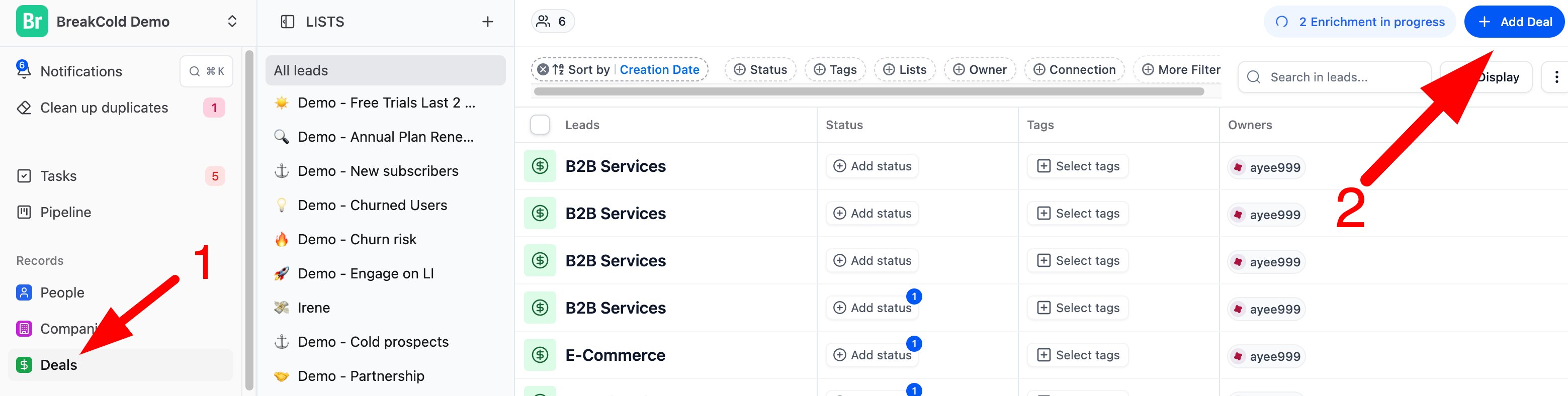
- From the Deals section
- Click “Deals” on the left menu.
- Then click the blue “+ Add Deal” button at the top right.
- Fill in the deal details and hit Save.
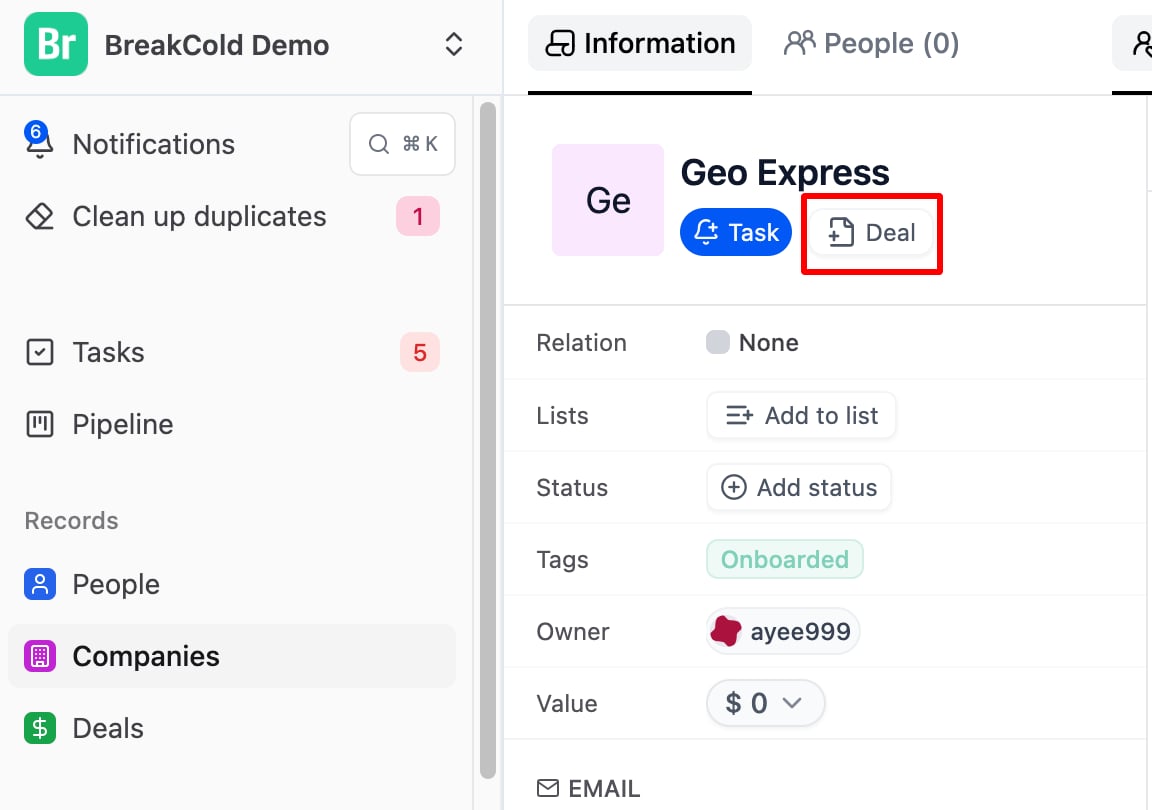
- From a Lead or Company profile
- Open a lead or company profile.
- Click the “+ Task / Add Deal” button inside.
- Fill in the info and it will link directly to that lead or company.