

Step 1: Go to Billing Settings
- Log in to your Breakcold account.
-
Click on your Profile icon in the top-right corner of the dashboard.
Select
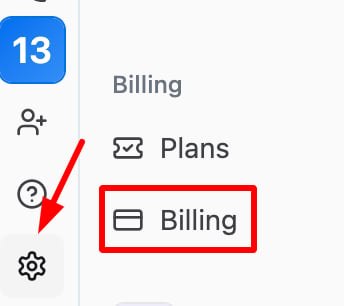
 “Settings” from the lower left side panel.
- In the Settings menu, navigate to the Billing tab.
Step 2: Edit Your Payment Information
- Under the Billing tab, you’ll see a section for Payment Method.
- Click on “Edit Payment Method” to update your credit card or payment details.
Step 3: Enter New Payment Details
- Add your new payment method (credit card or debit card details).
- Make sure the billing address and payment details are correct.
- Click Save to update your payment method.