

1. Prepare Your CSV File
- Create a CSV file with clearly labeled column headers.
- Include both standard fields (e.g., Name, Email) and any custom fields (e.g., Icebreaker, Referral Source).
2. Start the Import Process
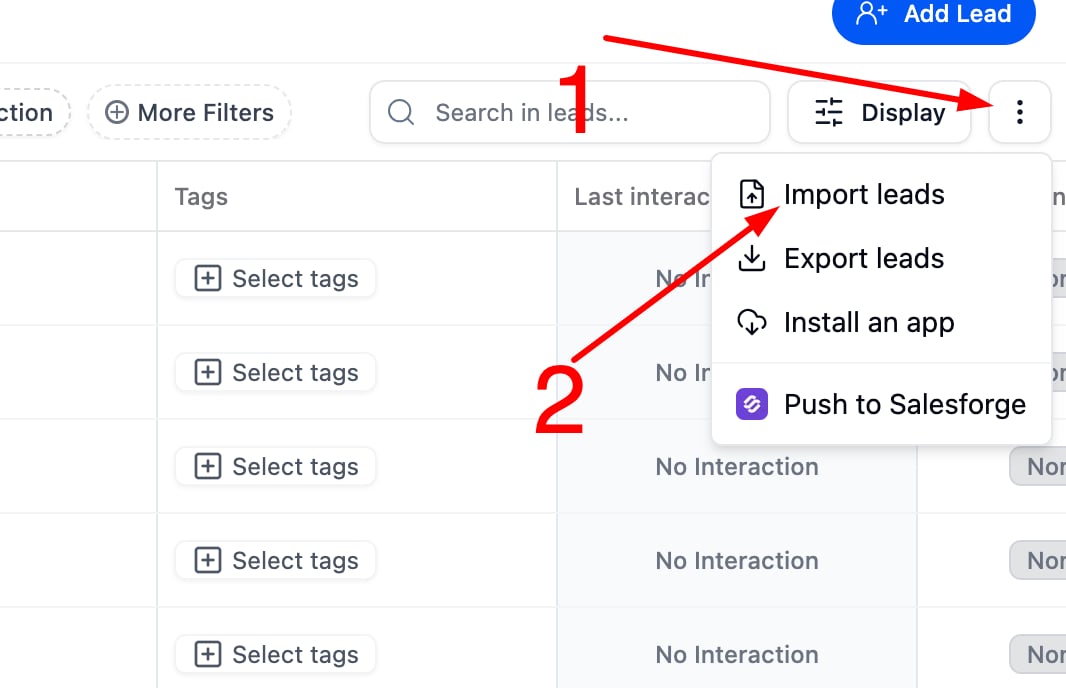
- Go to the import section in your system.
- Upload your CSV file.
3. Map Your Fields
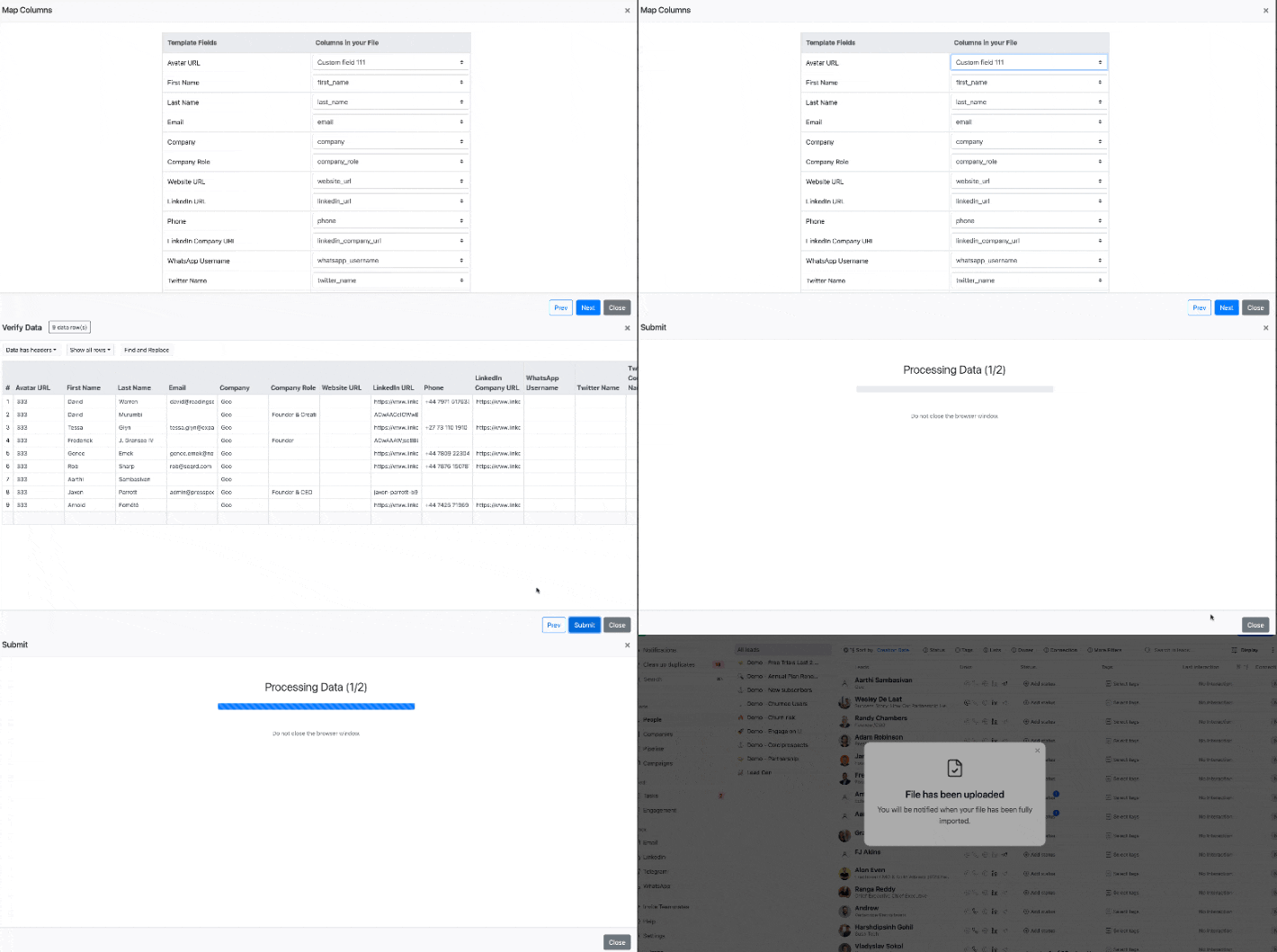
- The system will prompt you to match each CSV column to a corresponding field.
- Ensure all columns, especially custom fields, are mapped correctly.
4. Complete the Import
- Review the field mapping.
- Confirm and finalize the import.