> ## Documentation Index
> Fetch the complete documentation index at: https://developer.breakcold.com/llms.txt
> Use this file to discover all available pages before exploring further.

# Where can I invite a team member?

> Note: Only Workspace Owners, Admins, and Managers can invite team members.

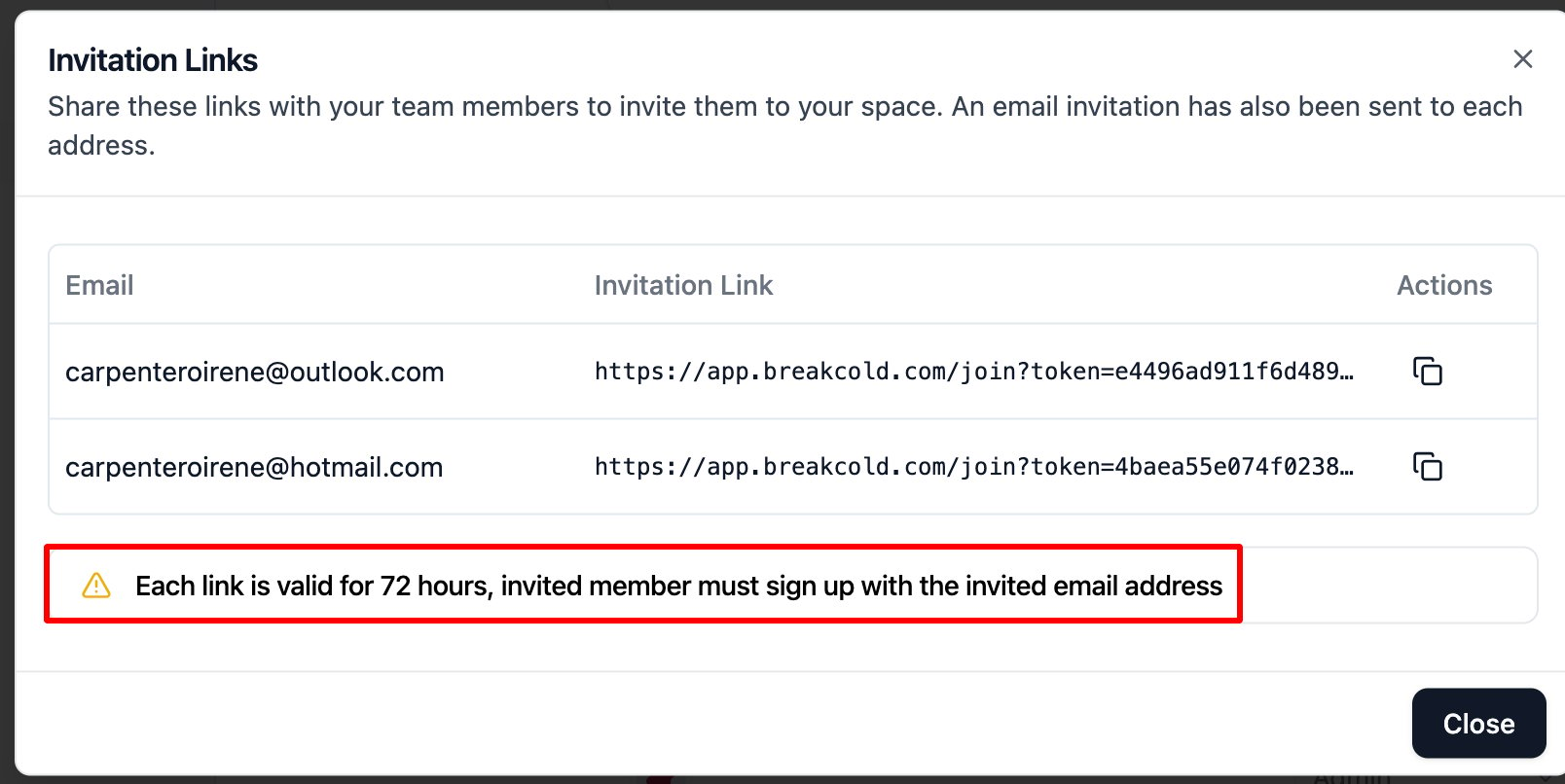
**Note:** Only Workspace Owners, Admins, and Managers can invite team members. The invite link is valid for 72 hours only. You can invite multiple members at once. Also, the account owner should ensure enough seats are available to allocate for the added members.

## Where can I invite a team member?

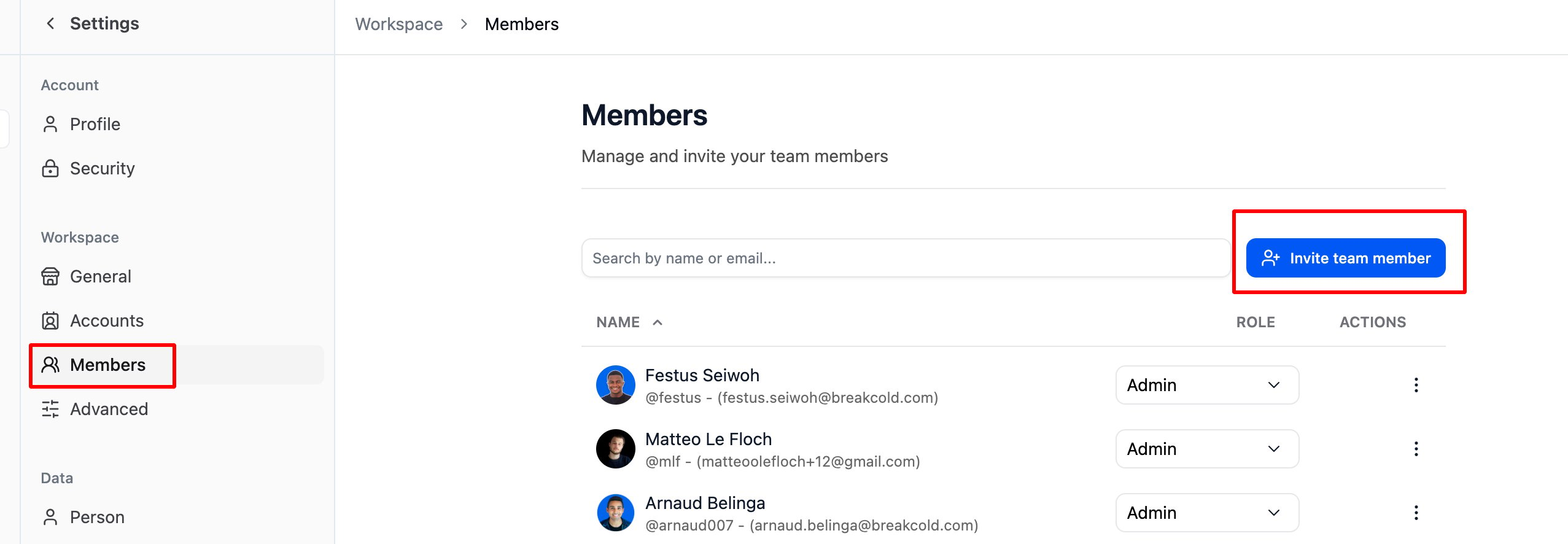
* Go to **Settings > Members**, or you can also find it on the left-hand panel, just make sure you have the necessary permissions to access it.
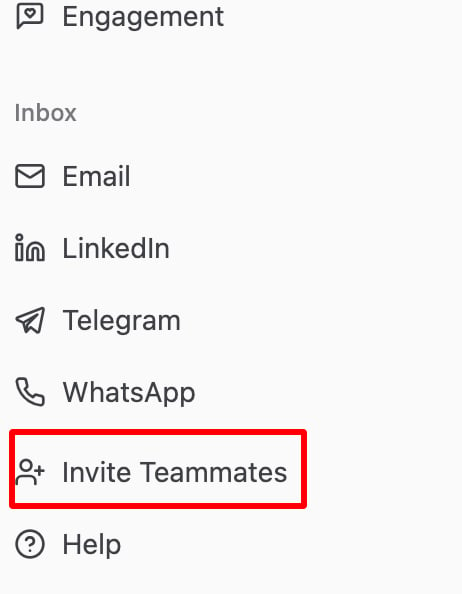
<img src="https://mintcdn.com/breakcold/94Jai1lnNEhtqwNU/images/help/workspace-permissions/where-can-i-invite-a-team-member-image-1-c97284aede.png?fit=max&auto=format&n=94Jai1lnNEhtqwNU&q=85&s=a13b55fc1cf13a25312c990a61384f56" alt="Where can I invite a team member? screenshot 1" width="462" height="594" data-path="images/help/workspace-permissions/where-can-i-invite-a-team-member-image-1-c97284aede.png" />

<img src="https://mintcdn.com/breakcold/94Jai1lnNEhtqwNU/images/help/workspace-permissions/where-can-i-invite-a-team-member-image-2-354c90e080.png?fit=max&auto=format&n=94Jai1lnNEhtqwNU&q=85&s=47cdac7fb758104d9e787c47294498dd" alt="Where can I invite a team member? screenshot 2" width="2554" height="886" data-path="images/help/workspace-permissions/where-can-i-invite-a-team-member-image-2-354c90e080.png" />

* **Enter the email address** — you can add multiple emails at once.
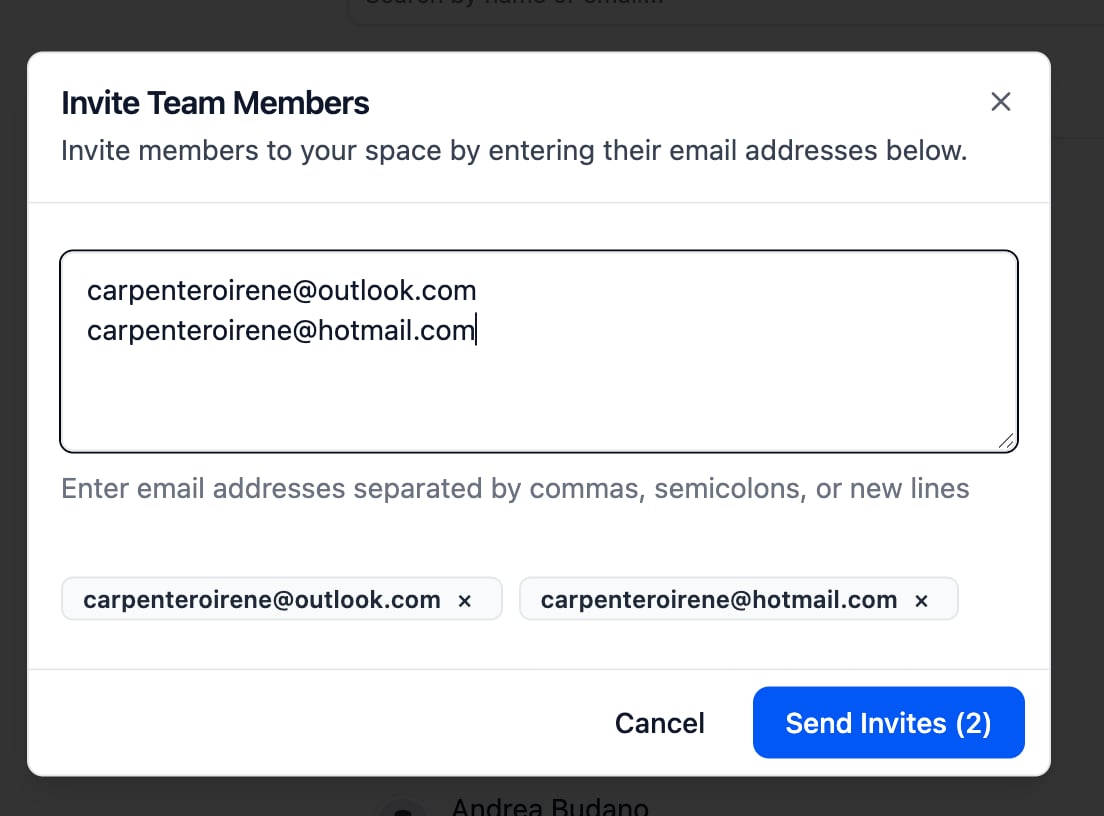
<img src="https://mintcdn.com/breakcold/94Jai1lnNEhtqwNU/images/help/workspace-permissions/where-can-i-invite-a-team-member-image-3-8ce0199b0e.png?fit=max&auto=format&n=94Jai1lnNEhtqwNU&q=85&s=f00428199a0f203e7de4b965d118733c" alt="Where can I invite a team member? screenshot 3" width="1104" height="816" data-path="images/help/workspace-permissions/where-can-i-invite-a-team-member-image-3-8ce0199b0e.png" />

<img src="https://mintcdn.com/breakcold/94Jai1lnNEhtqwNU/images/help/workspace-permissions/where-can-i-invite-a-team-member-image-4-5c1b474b8e.png?fit=max&auto=format&n=94Jai1lnNEhtqwNU&q=85&s=90c9490340178124f8345b633aa3c571" alt="Where can I invite a team member? screenshot 4" width="1608" height="806" data-path="images/help/workspace-permissions/where-can-i-invite-a-team-member-image-4-5c1b474b8e.png" />

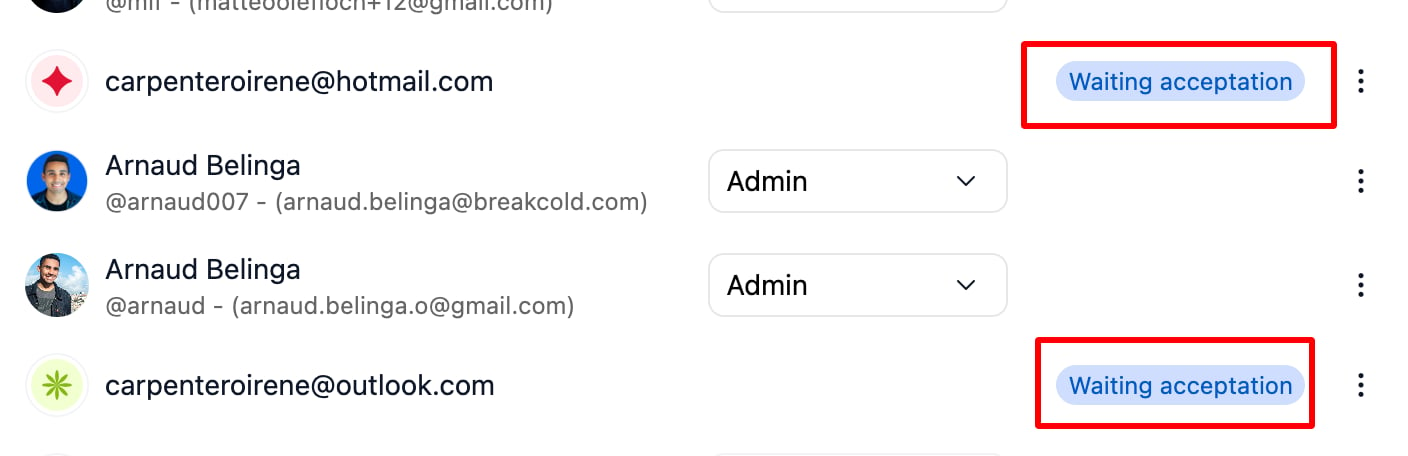
* After sending, the invite will show as **“Waiting for Acceptance.”**
<img src="https://mintcdn.com/breakcold/94Jai1lnNEhtqwNU/images/help/workspace-permissions/where-can-i-invite-a-team-member-image-5-893910a536.png?fit=max&auto=format&n=94Jai1lnNEhtqwNU&q=85&s=54454d633498d2ce544d9e098619c7c2" alt="Where can I invite a team member? screenshot 5" width="1408" height="456" data-path="images/help/workspace-permissions/where-can-i-invite-a-team-member-image-5-893910a536.png" />

If the invitee clicks **"Accept"** but doesn’t complete the setup, the status will show as **“Onboarding in Progress.”** Once they finish the setup, the status will automatically update to **“Connected.”**