> ## Documentation Index
> Fetch the complete documentation index at: https://developer.breakcold.com/llms.txt
> Use this file to discover all available pages before exploring further.

# How to connect my LinkedIn account?

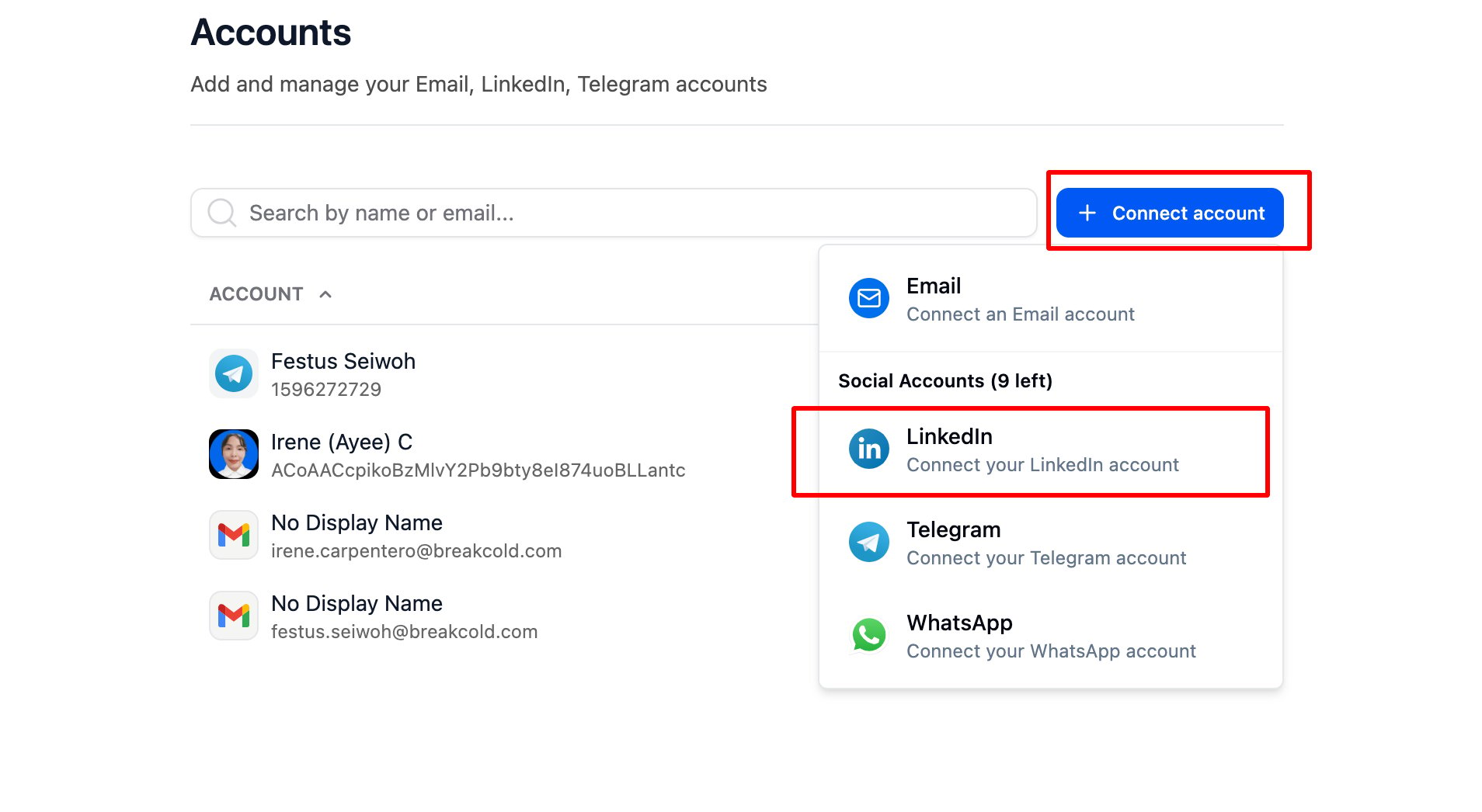
> How to connect my LinkedIn account? Go to Accounts, then click and select Linkedin from the dropdown list.

### How to connect my LinkedIn account?

Go to [Accounts](https://app.breakcold.com/accounts?page=0), then click

<img src="https://mintcdn.com/breakcold/uOWE3JfQSSO55Cua/images/help/linkedin-extension/how-to-connect-my-linkedin-account-image-1-58818df360.svg?fit=max&auto=format&n=uOWE3JfQSSO55Cua&q=85&s=e2f526ba84ed2aa279c8a8fb90b00973" alt="How to connect my LinkedIn account? screenshot 1" width="1200" height="720" data-path="images/help/linkedin-extension/how-to-connect-my-linkedin-account-image-1-58818df360.svg" />

and select Linkedin from the dropdown list.
<img src="https://mintcdn.com/breakcold/uOWE3JfQSSO55Cua/images/help/linkedin-extension/how-to-connect-my-linkedin-account-image-2-b3b31a0cca.png?fit=max&auto=format&n=uOWE3JfQSSO55Cua&q=85&s=5d570b3517c13a49f473d18cbf8c4fff" alt="How to connect my LinkedIn account? screenshot 2" width="1908" height="1046" data-path="images/help/linkedin-extension/how-to-connect-my-linkedin-account-image-2-b3b31a0cca.png" />

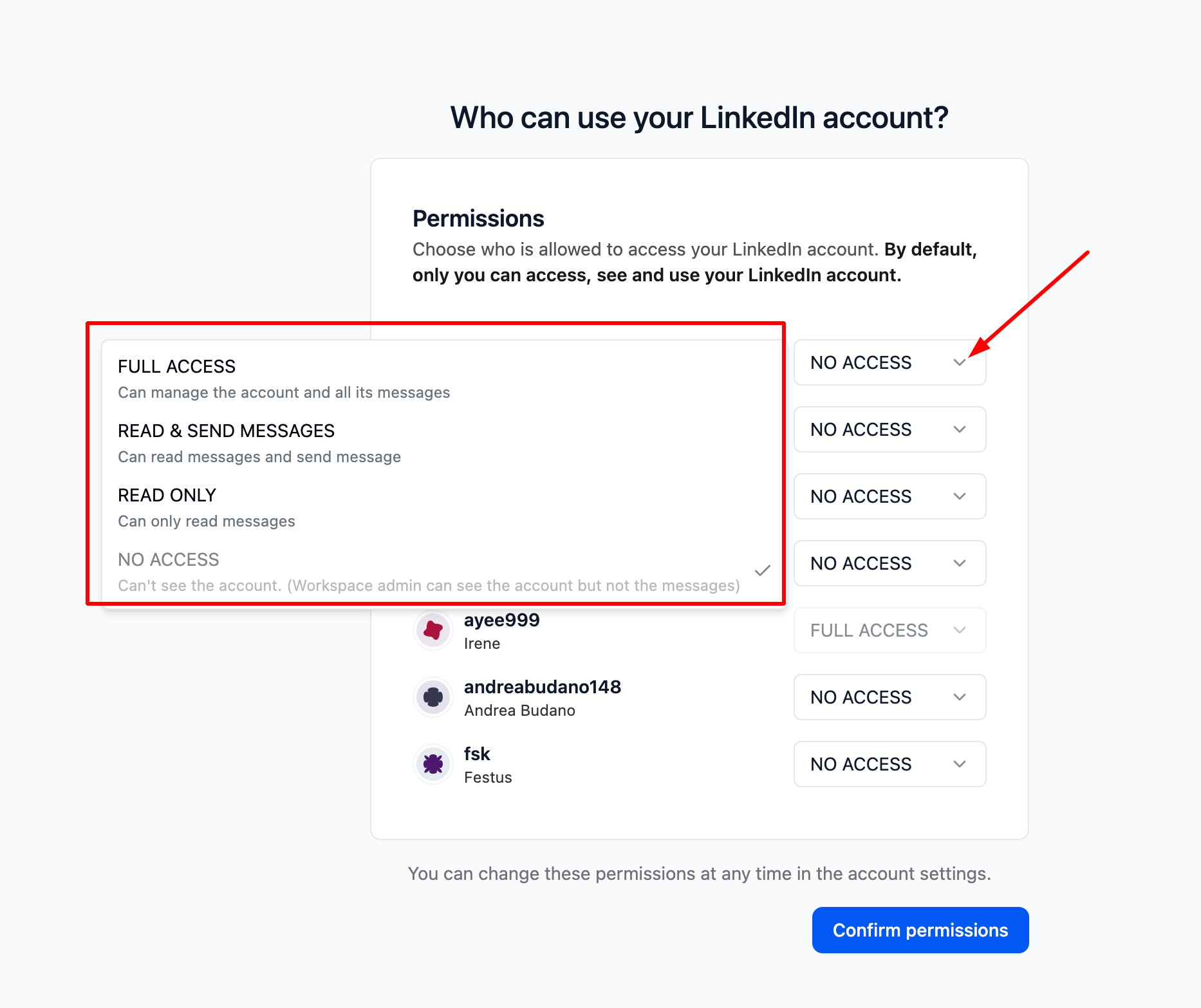
* Enter your LinkedIn credentials. Once completed, you will be prompted to configure the Authorization Level settings

<img src="https://mintcdn.com/breakcold/uOWE3JfQSSO55Cua/images/help/linkedin-extension/how-to-connect-my-linkedin-account-image-3-2fb141b6a0.svg?fit=max&auto=format&n=uOWE3JfQSSO55Cua&q=85&s=a6388e3b5780f6ffa1b8edc32641a6d8" alt="How to connect my LinkedIn account? screenshot 3" width="1200" height="720" data-path="images/help/linkedin-extension/how-to-connect-my-linkedin-account-image-3-2fb141b6a0.svg" />

<img src="https://mintcdn.com/breakcold/uOWE3JfQSSO55Cua/images/help/linkedin-extension/how-to-connect-my-linkedin-account-image-4-cd30307680.png?fit=max&auto=format&n=uOWE3JfQSSO55Cua&q=85&s=b22758c5b493aa6fdaeb621f27b8e3bd" alt="How to connect my LinkedIn account? screenshot 4" width="1866" height="1566" data-path="images/help/linkedin-extension/how-to-connect-my-linkedin-account-image-4-cd30307680.png" />

⚠️ Note: Permission access is set to 'No Access' by default.
