> ## Documentation Index
> Fetch the complete documentation index at: https://developer.breakcold.com/llms.txt
> Use this file to discover all available pages before exploring further.
# Slack Native Integration
> We did it! After 1.5+ years of building the foundations of Breakcold Sales CRM, we're now entering our integration phase, making it easier for Breakcold to work seamlessly with...
We did it! After 1.5+ years of building the foundations of Breakcold Sales CRM, we're now entering our integration phase, making it easier for Breakcold to work seamlessly with all your software!
[Watch demo video](https://www.youtube.com/watch?v=RLiaNW-yjYg)
[ ](https://www.youtube.com/watch?v=RLiaNW-yjYg)
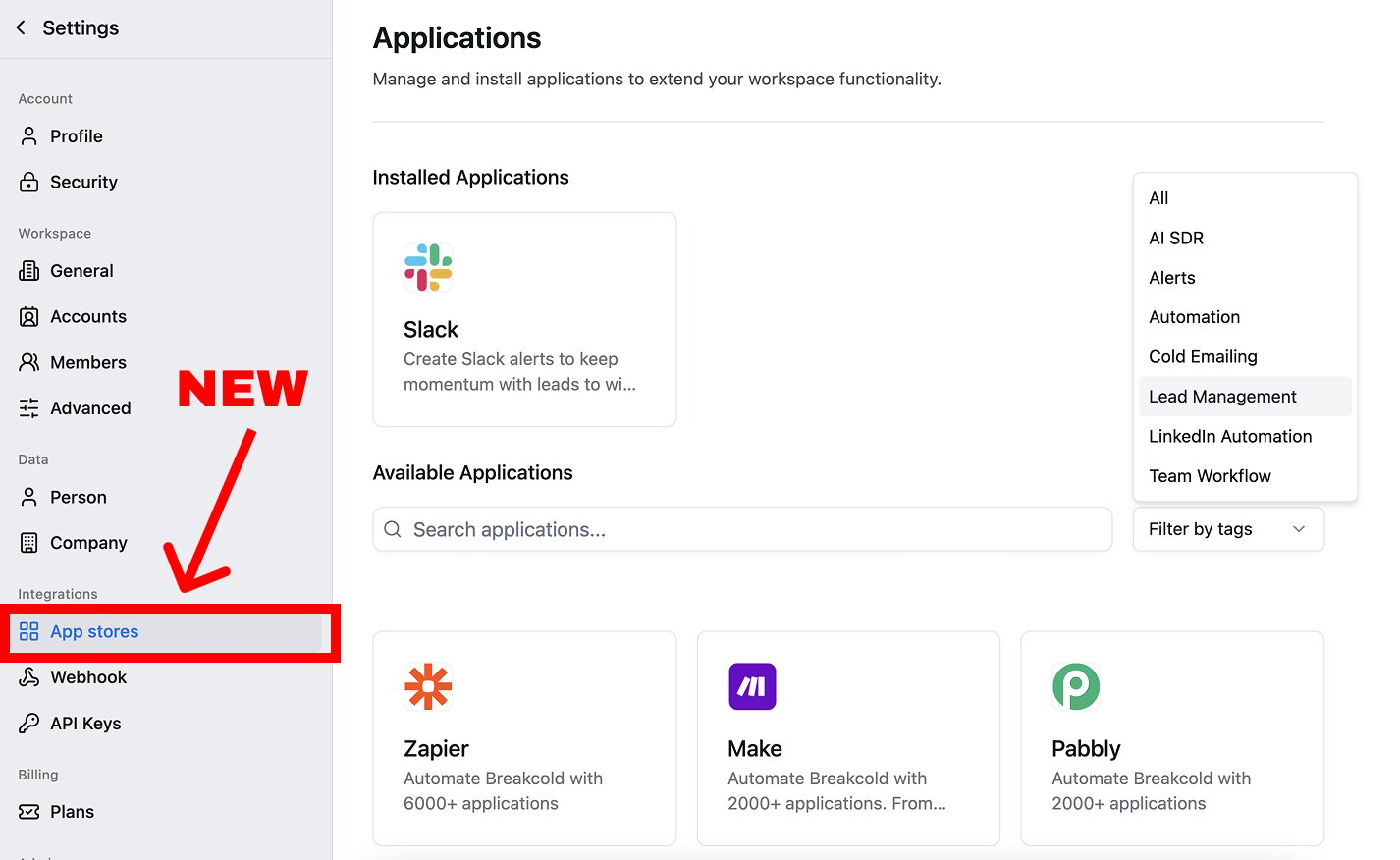
## 1. Release of the Breakcold's App Store
* you'll find in this new section all the native integrations of Breakcold built by us but also by our partners.
* our goal is to ship at least 1 new native integration per week in 2025, reply to this email with the integration that you want the most
](https://www.youtube.com/watch?v=RLiaNW-yjYg)
## 1. Release of the Breakcold's App Store
* you'll find in this new section all the native integrations of Breakcold built by us but also by our partners.
* our goal is to ship at least 1 new native integration per week in 2025, reply to this email with the integration that you want the most
 ## 2. Three types of Slack actions
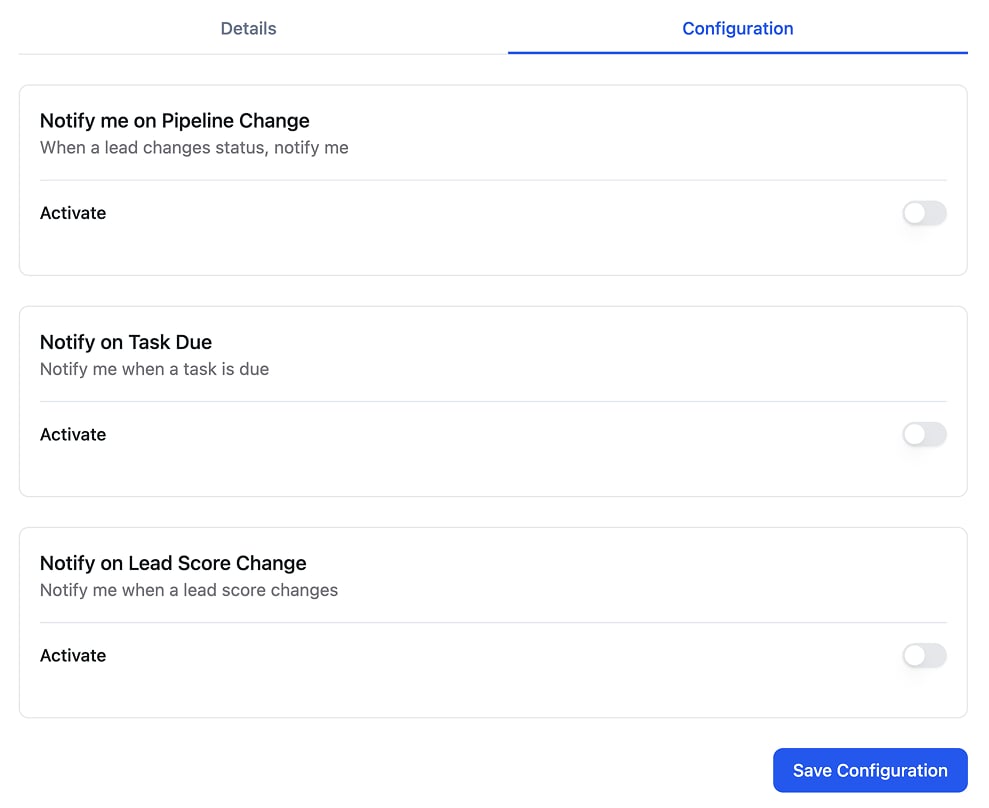
**Notify me on Pipeline Change**: if a lead enter a specific sales pipeline stage, it triggers a slack notification
**Notify on Task Due**: instead of receiving an email notification, you receive a Slack alert when the task is due
**Notify on Lead Score Change**: for example if your lead goes from Medium to Weak, you automatically get a Slack alert
## 2. Three types of Slack actions
**Notify me on Pipeline Change**: if a lead enter a specific sales pipeline stage, it triggers a slack notification
**Notify on Task Due**: instead of receiving an email notification, you receive a Slack alert when the task is due
**Notify on Lead Score Change**: for example if your lead goes from Medium to Weak, you automatically get a Slack alert
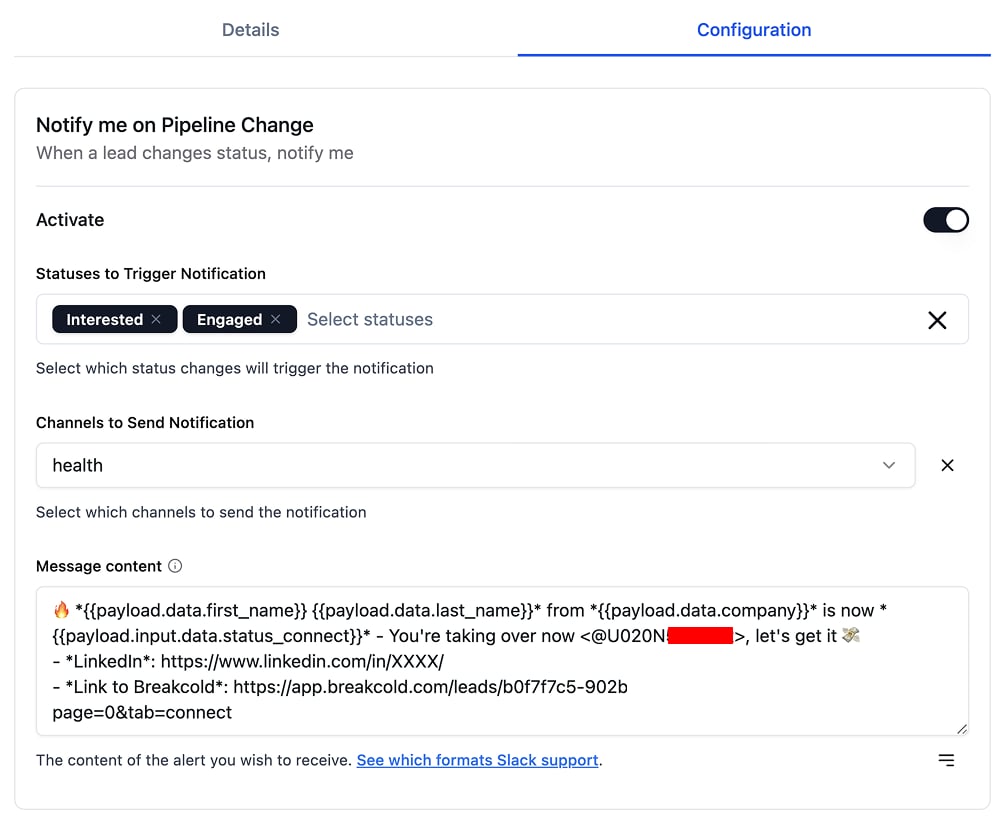
 ## 3. Everything is customizable with variables
You can build the message that you want in the slack channel that you desire. Using variables, you can customize the message with the attributes/fields of your leads.
## 3. Everything is customizable with variables
You can build the message that you want in the slack channel that you desire. Using variables, you can customize the message with the attributes/fields of your leads.
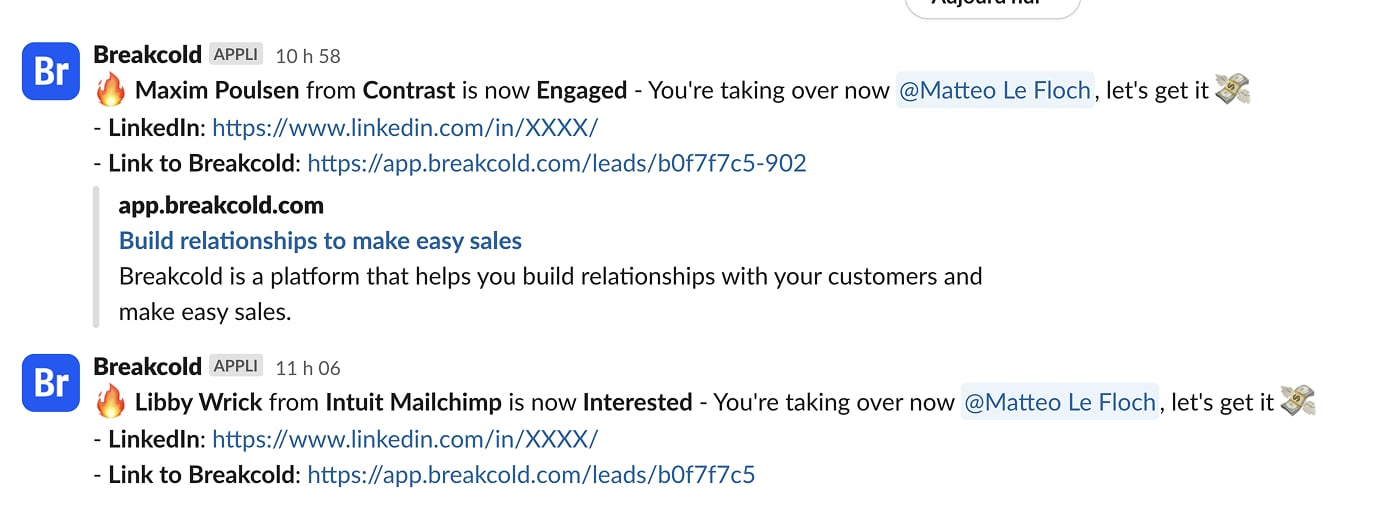
 This is how a slack alert can look like.