> ## Documentation Index
> Fetch the complete documentation index at: https://developer.breakcold.com/llms.txt
> Use this file to discover all available pages before exploring further.
# How to utilise the Make Integration
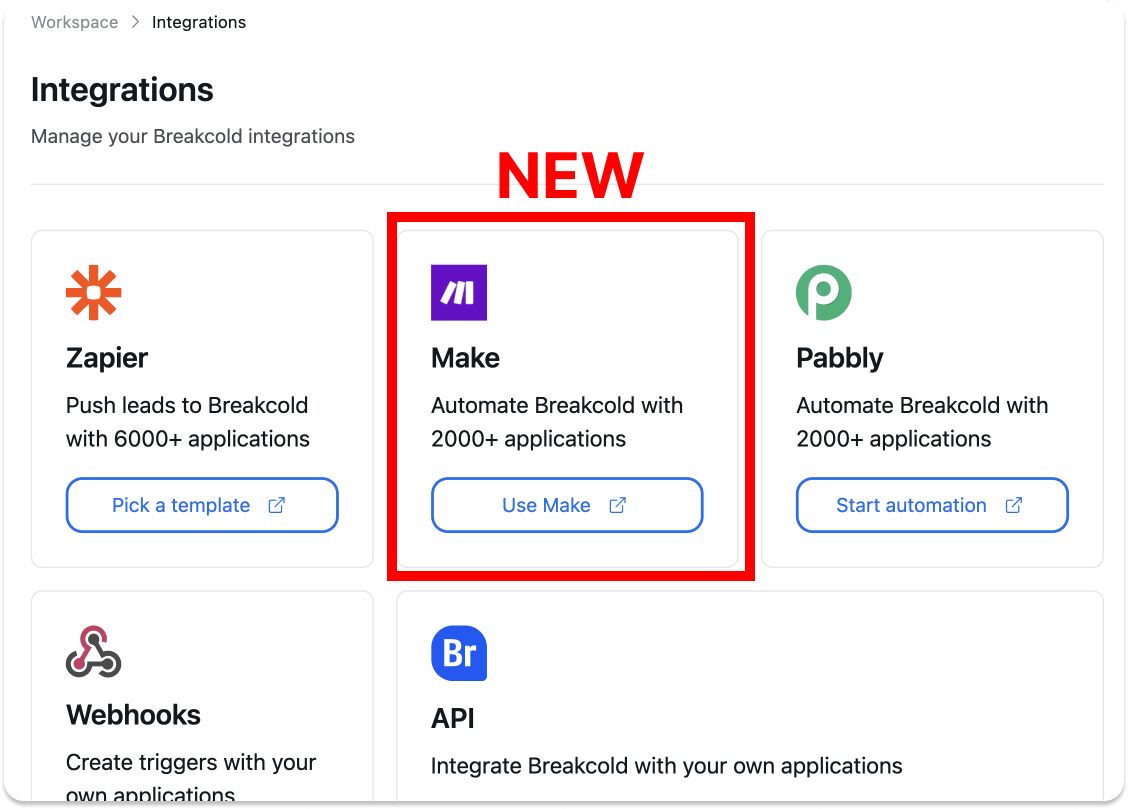
> You asked for it (massively), we did it! ⚔️ Hey Breakcolders 😎 We finally released our Make integration.
You asked for it (massively), we did it! ⚔️
Hey Breakcolders 😎
We finally released our Make integration. Here's a video that summarize one of the most important actions that you can do with this integration 👇
[Watch recap video](https://www.youtube.com/watch?v=DTlhPebKJoc)
[ ](https://youtu.be/DTlhPebKJoc?feature=shared)
PS: subscribe to the YT channel 🙏
## 1°) Why adding Make?
Make is the number 1 alternative to Zapier when it comes to what you can achieve and pricing (much cheaper than Zapier).
](https://youtu.be/DTlhPebKJoc?feature=shared)
PS: subscribe to the YT channel 🙏
## 1°) Why adding Make?
Make is the number 1 alternative to Zapier when it comes to what you can achieve and pricing (much cheaper than Zapier).
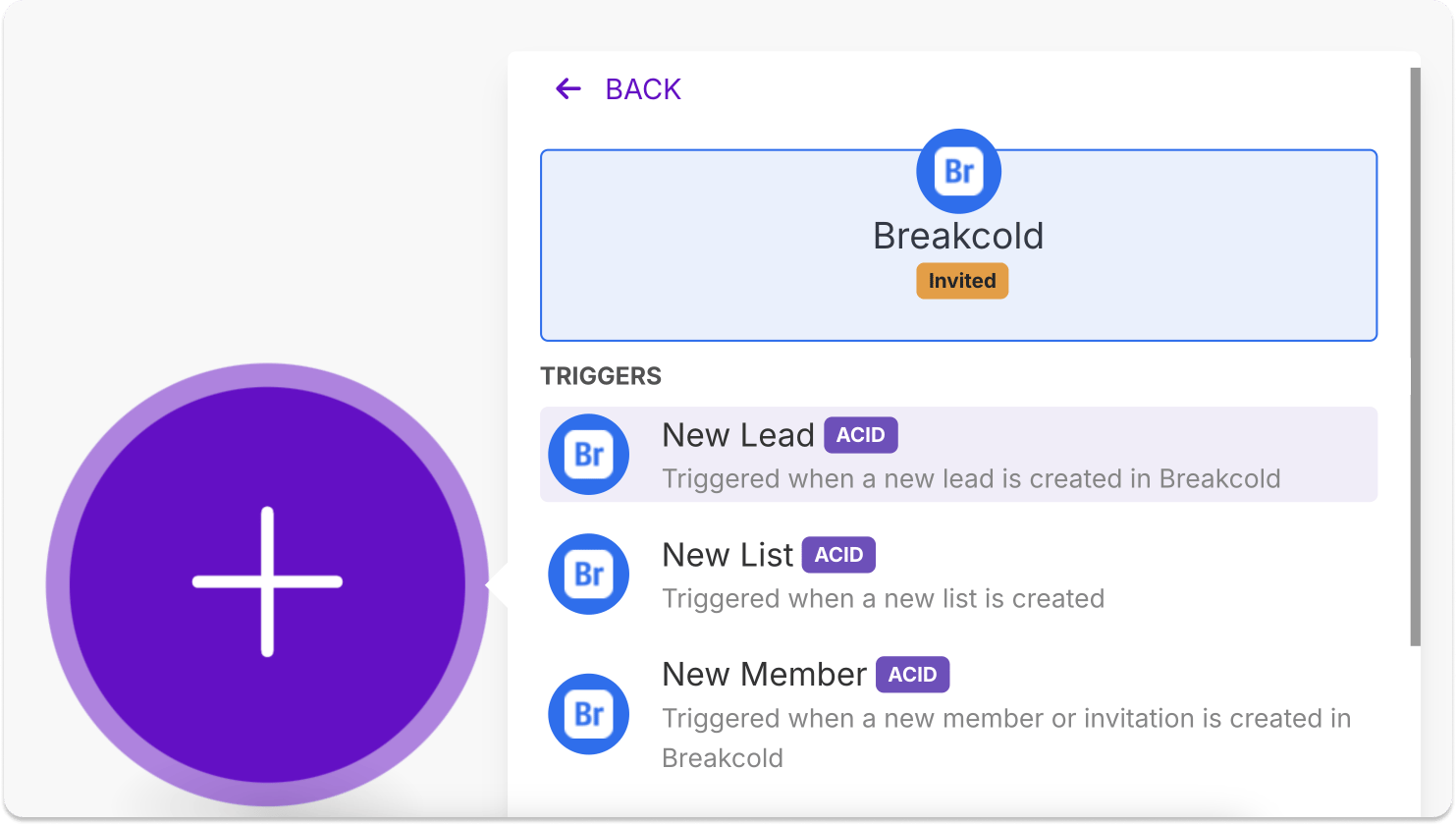
 The action trigger that you'll probably use the most is new lead.
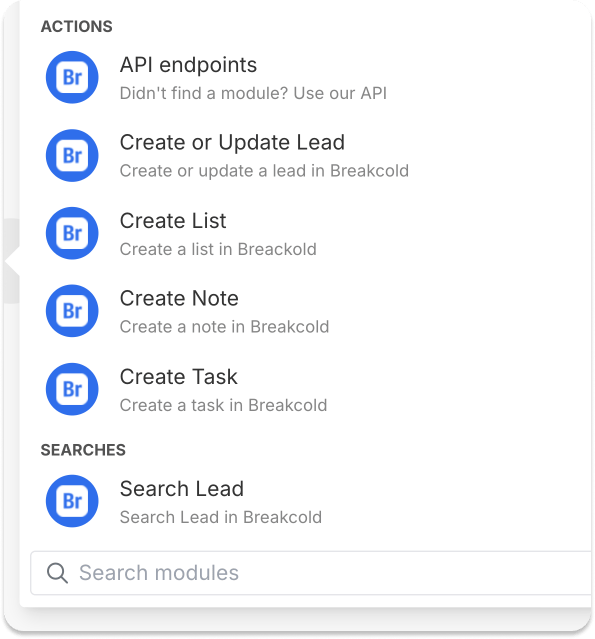
 As for actions, create or Update lead is the go to.
 ## 2°) Ideas of Make workflows
* when a lead form is submitted on WEBFLOW/TALLY/CLICKFUNNELS/OTHER (1), create a lead inside Breakcold (2)
* when someone books a meeting on my CALENDLY/CAL.COM (1), create or update leads (2)
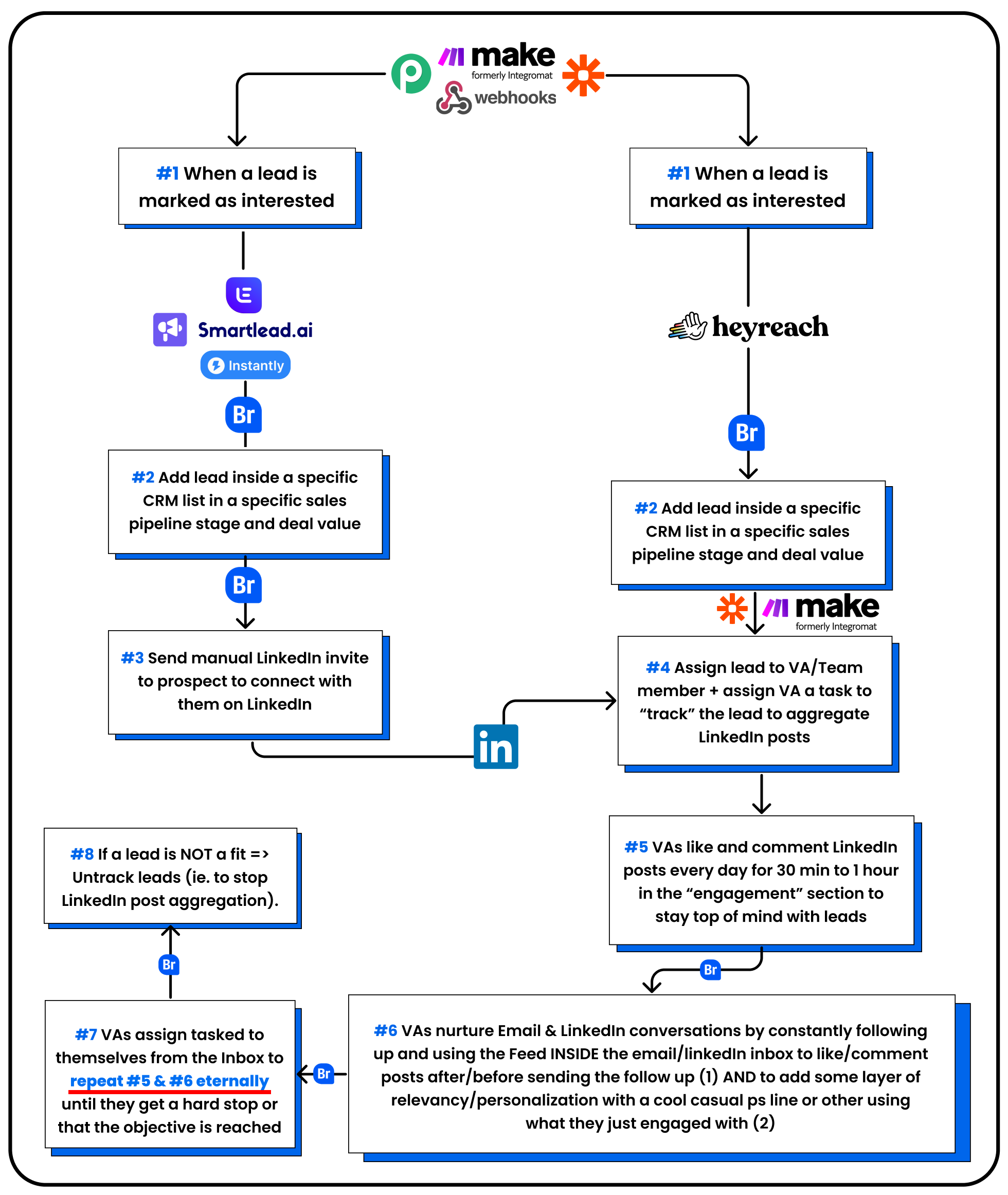
Here's also a workflow idea that I designed for one of our customers 👇
## 2°) Ideas of Make workflows
* when a lead form is submitted on WEBFLOW/TALLY/CLICKFUNNELS/OTHER (1), create a lead inside Breakcold (2)
* when someone books a meeting on my CALENDLY/CAL.COM (1), create or update leads (2)
Here's also a workflow idea that I designed for one of our customers 👇
 ## 3°) What's next?
* CRM analytics
* Custom Fields rework (and included in API, Zapier, Make etc)
## 3°) What's next?
* CRM analytics
* Custom Fields rework (and included in API, Zapier, Make etc)