> ## Documentation Index
> Fetch the complete documentation index at: https://developer.breakcold.com/llms.txt
> Use this file to discover all available pages before exploring further.
# What is the 'Activity' Section in Breakcold?
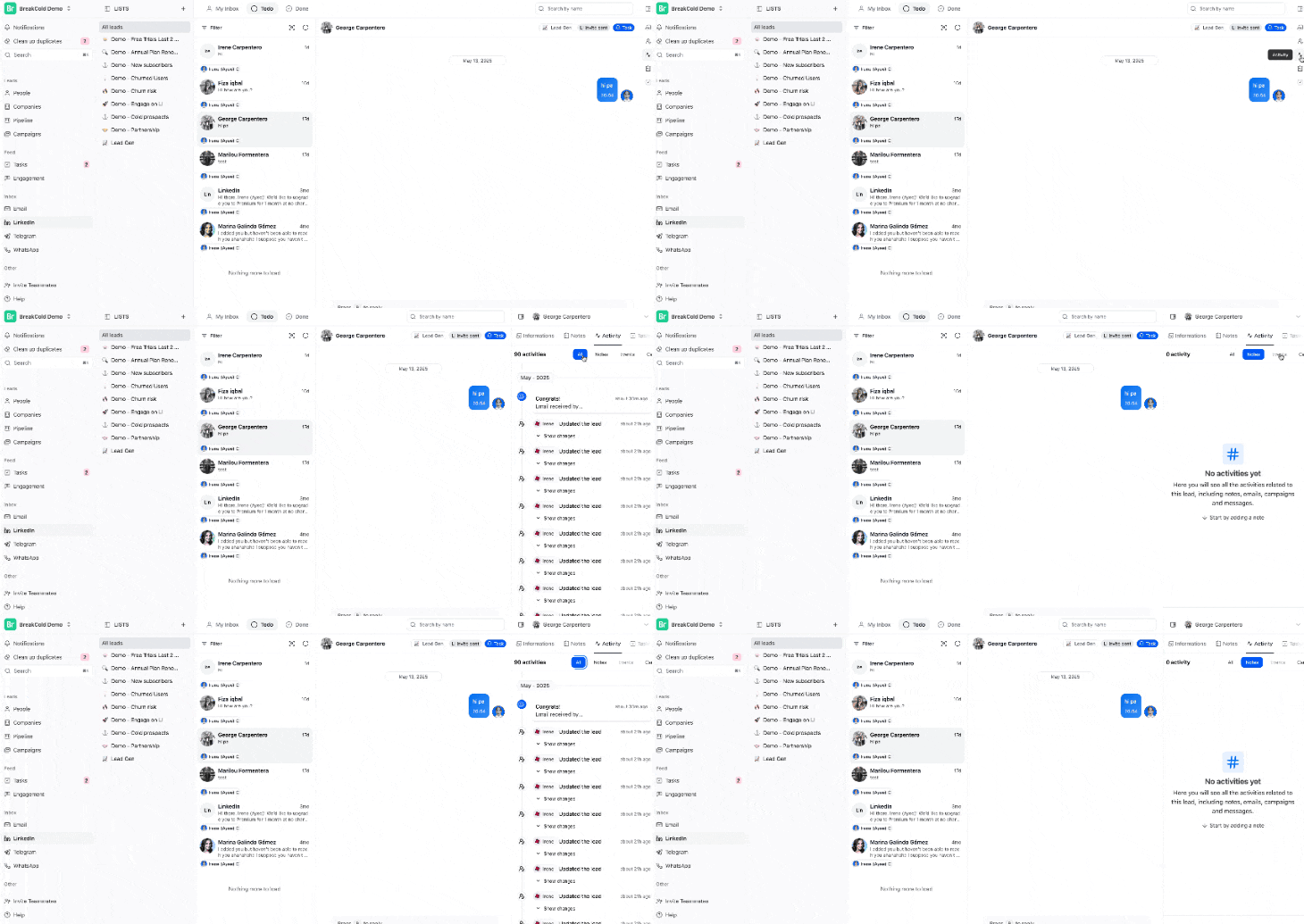
> What is the 'Activity' Section The Activity section in Breakcold gives you a complete timeline of everything that’s happened with your leads — all in one place.
## What is the 'Activity' Section
The **Activity** section in Breakcold gives you a complete timeline of everything that’s happened with your leads — all in one place. You can find it by going to your **Unified Inboxes** and clicking the **Activity icon**
 on the right side panel.
It includes:
* Social interactions (like LinkedIn messages)
* Email conversations (sent, opened, or replied)
* Notes you’ve added
* Campaign updates and lead actions and more
This view helps you stay on top of your outreach by giving you a clear picture of your engagement history with each lead.
Whether you're following up or planning your next move, the Activity section keeps you informed and organized.
## Feature Preview
on the right side panel.
It includes:
* Social interactions (like LinkedIn messages)
* Email conversations (sent, opened, or replied)
* Notes you’ve added
* Campaign updates and lead actions and more
This view helps you stay on top of your outreach by giving you a clear picture of your engagement history with each lead.
Whether you're following up or planning your next move, the Activity section keeps you informed and organized.
## Feature Preview