> ## Documentation Index
> Fetch the complete documentation index at: https://developer.breakcold.com/llms.txt
> Use this file to discover all available pages before exploring further.

# How to link your Telegram account?

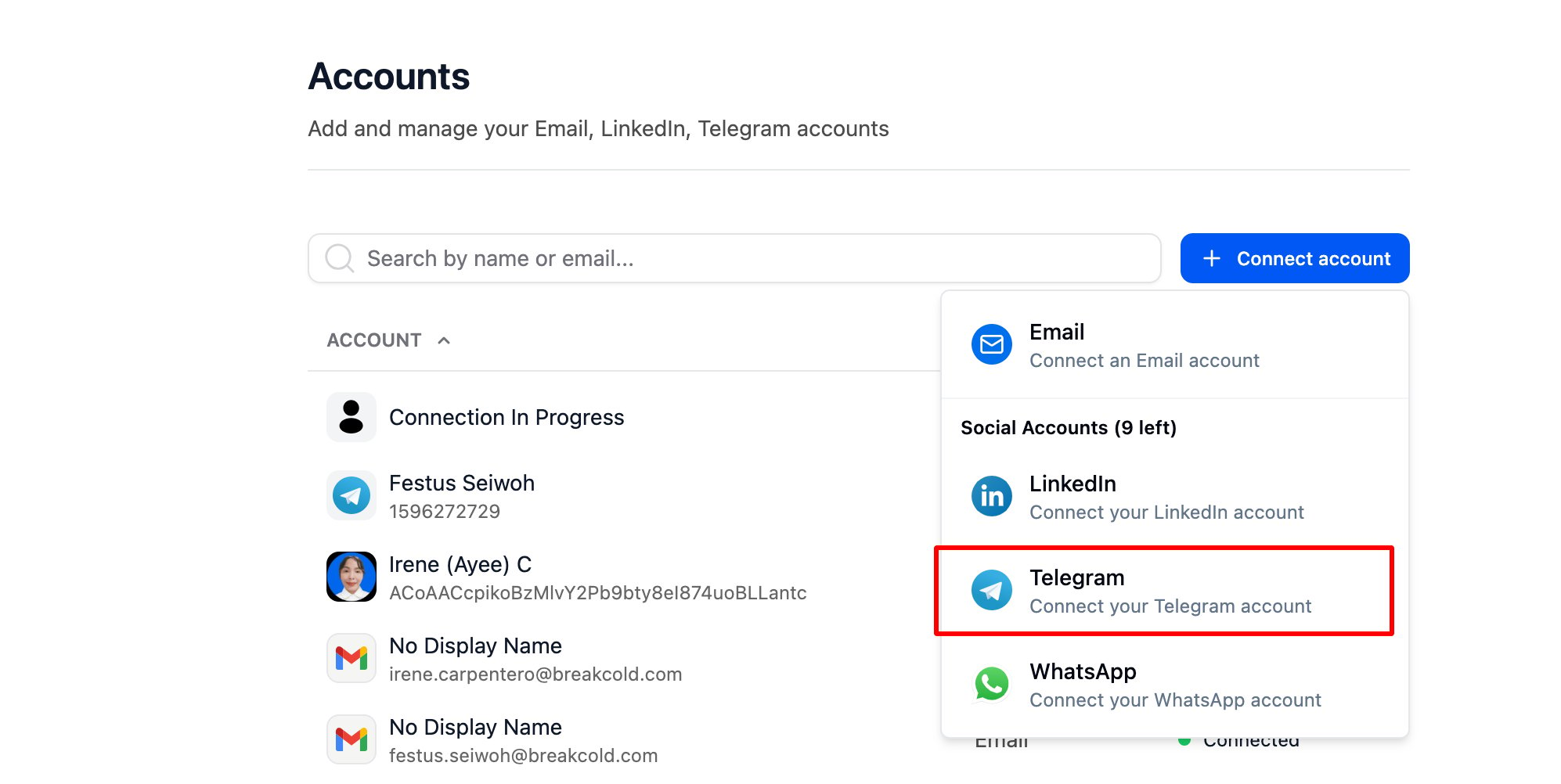
> How to link your Telegram account? Go to Accounts, then click and select Telegram from the dropdown list.

### How to link your Telegram account?

Go to [Accounts](https://app.breakcold.com/accounts?page=0), then click

<img src="https://mintcdn.com/breakcold/uOWE3JfQSSO55Cua/images/help/linkedin-extension/how-to-connect-my-linkedin-account-image-1-58818df360.svg?fit=max&auto=format&n=uOWE3JfQSSO55Cua&q=85&s=e2f526ba84ed2aa279c8a8fb90b00973" alt="How to link your Telegram account? screenshot 1" width="1200" height="720" data-path="images/help/linkedin-extension/how-to-connect-my-linkedin-account-image-1-58818df360.svg" />

and select Telegram from the dropdown list.
<img src="https://mintcdn.com/breakcold/VzxueuI3FocBxIY9/images/help/inbox-messaging/how-to-link-your-telegram-account-image-2-cb3cb00f9d.png?fit=max&auto=format&n=VzxueuI3FocBxIY9&q=85&s=19226b15931af6dc41f204cd37a163f6" alt="How to link your Telegram account? screenshot 2" width="1994" height="1002" data-path="images/help/inbox-messaging/how-to-link-your-telegram-account-image-2-cb3cb00f9d.png" />

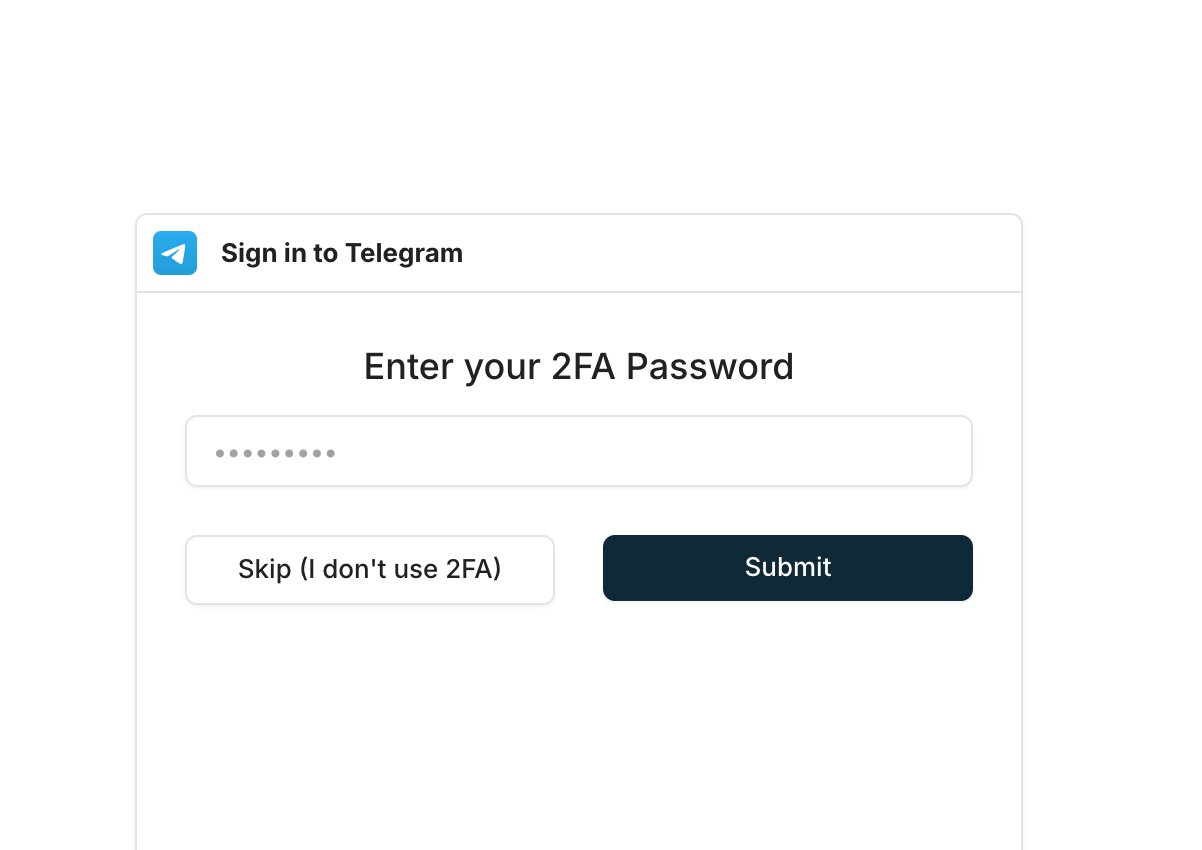
* You’ll be prompted to enter your **2FA password** if it’s enabled — or you can **click "Skip"** if you don’t have it activated.
<img src="https://mintcdn.com/breakcold/VzxueuI3FocBxIY9/images/help/inbox-messaging/how-to-link-your-telegram-account-image-3-0efb71feb6.png?fit=max&auto=format&n=VzxueuI3FocBxIY9&q=85&s=4bfbf0da7caa4655070dbd1eac85109d" alt="How to link your Telegram account? screenshot 3" width="1202" height="850" data-path="images/help/inbox-messaging/how-to-link-your-telegram-account-image-3-0efb71feb6.png" />

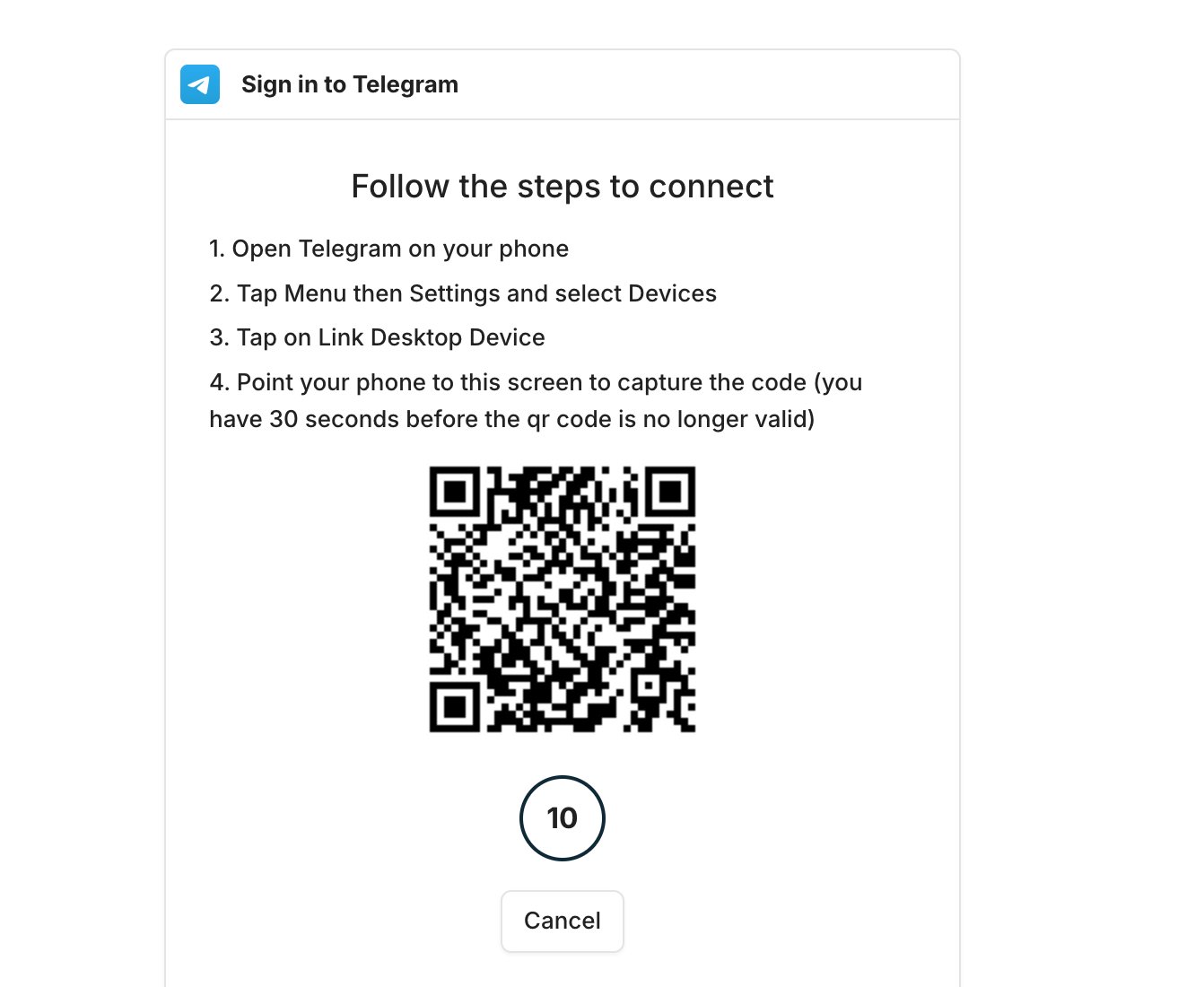
* A QR code will appear — just follow the steps in your Telegram app to complete the setup.
<img src="https://mintcdn.com/breakcold/VzxueuI3FocBxIY9/images/help/inbox-messaging/how-to-link-your-telegram-account-image-4-98e699a8b8.png?fit=max&auto=format&n=VzxueuI3FocBxIY9&q=85&s=7b83587fa167dc89b437c7bf50beab89" alt="How to link your Telegram account? screenshot 4" width="1342" height="1100" data-path="images/help/inbox-messaging/how-to-link-your-telegram-account-image-4-98e699a8b8.png" />

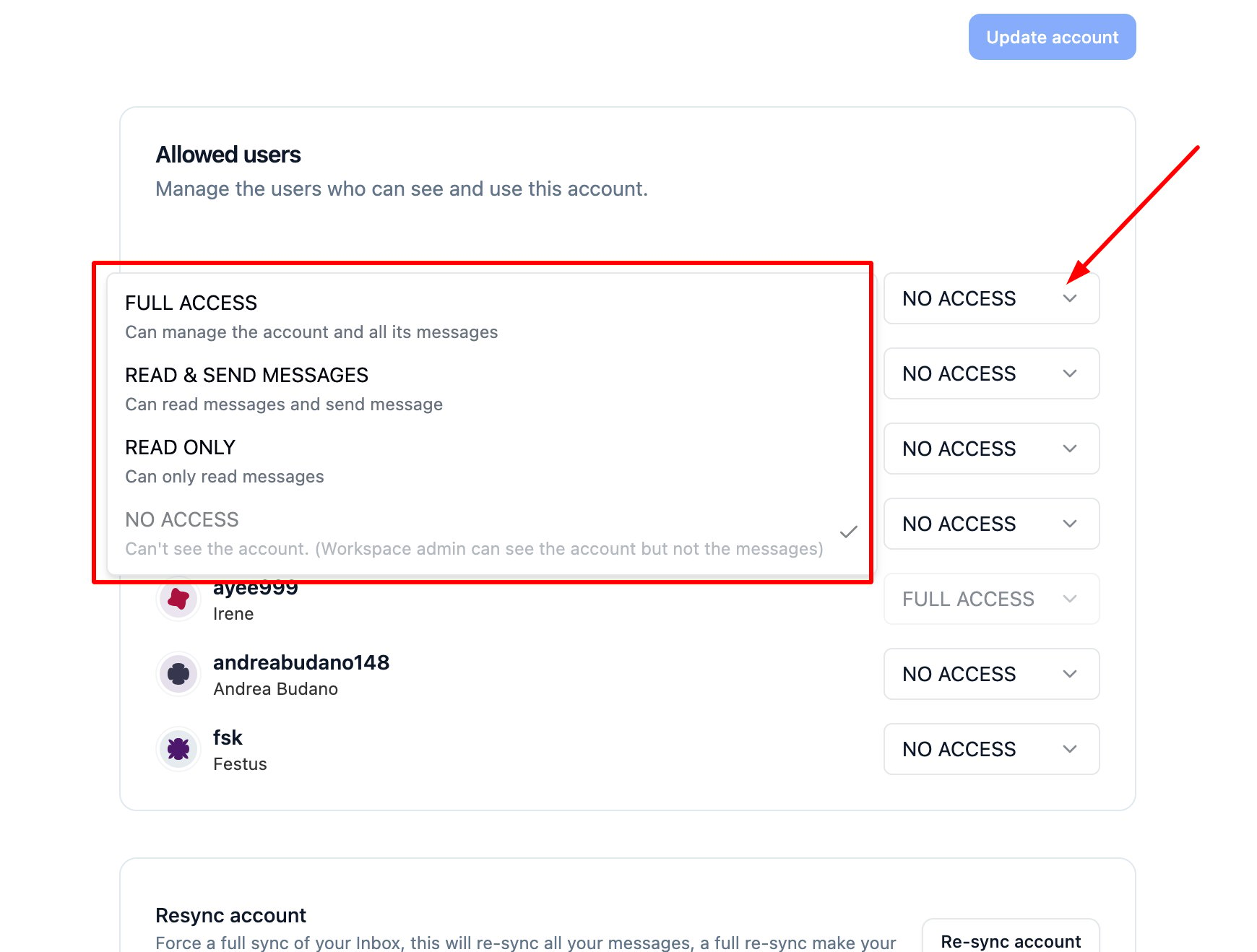
* You can go back to your [Account settings](https://app.breakcold.com/accounts?page=0) [](https://app.breakcold.com/accounts?page=0)and update the **access level** if needed.
<img src="https://mintcdn.com/breakcold/VzxueuI3FocBxIY9/images/help/inbox-messaging/how-to-link-your-telegram-account-image-5-a36a1f6288.png?fit=max&auto=format&n=VzxueuI3FocBxIY9&q=85&s=4a5b027332ba41c0882a8da1c14dbbc7" alt="How to link your Telegram account? screenshot 5" width="1740" height="1318" data-path="images/help/inbox-messaging/how-to-link-your-telegram-account-image-5-a36a1f6288.png" />

⚠️ Note: Permission access is set to 'No Access' by default.
