> ## Documentation Index
> Fetch the complete documentation index at: https://developer.breakcold.com/llms.txt
> Use this file to discover all available pages before exploring further.
# How to remove OR merge duplicates?
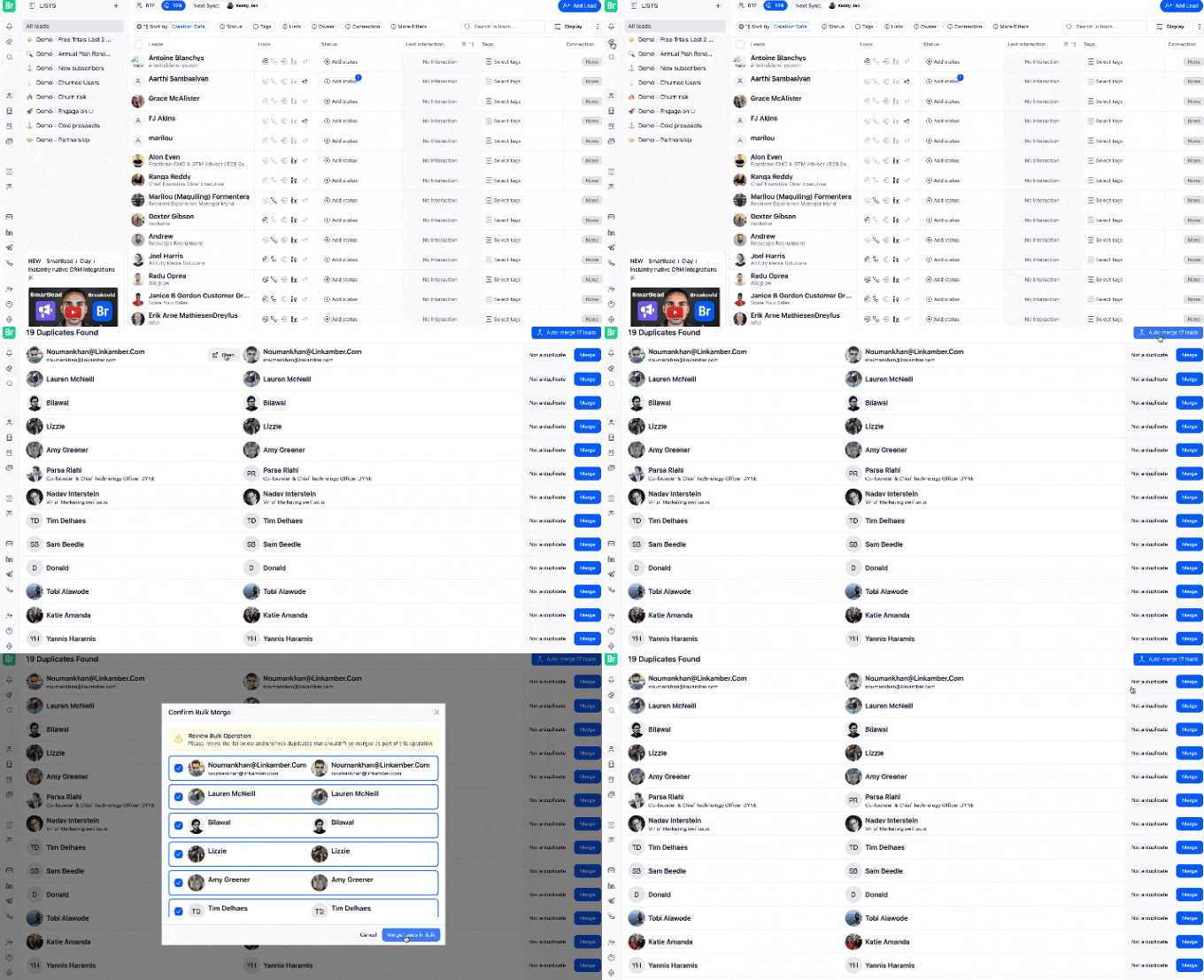
> Step 1: Go to "Clean up Duplicates" Find it on the left side panel with the Eraser icon Step 2: Review the Duplicates Breakcold will list contacts it detects as potential duplic...
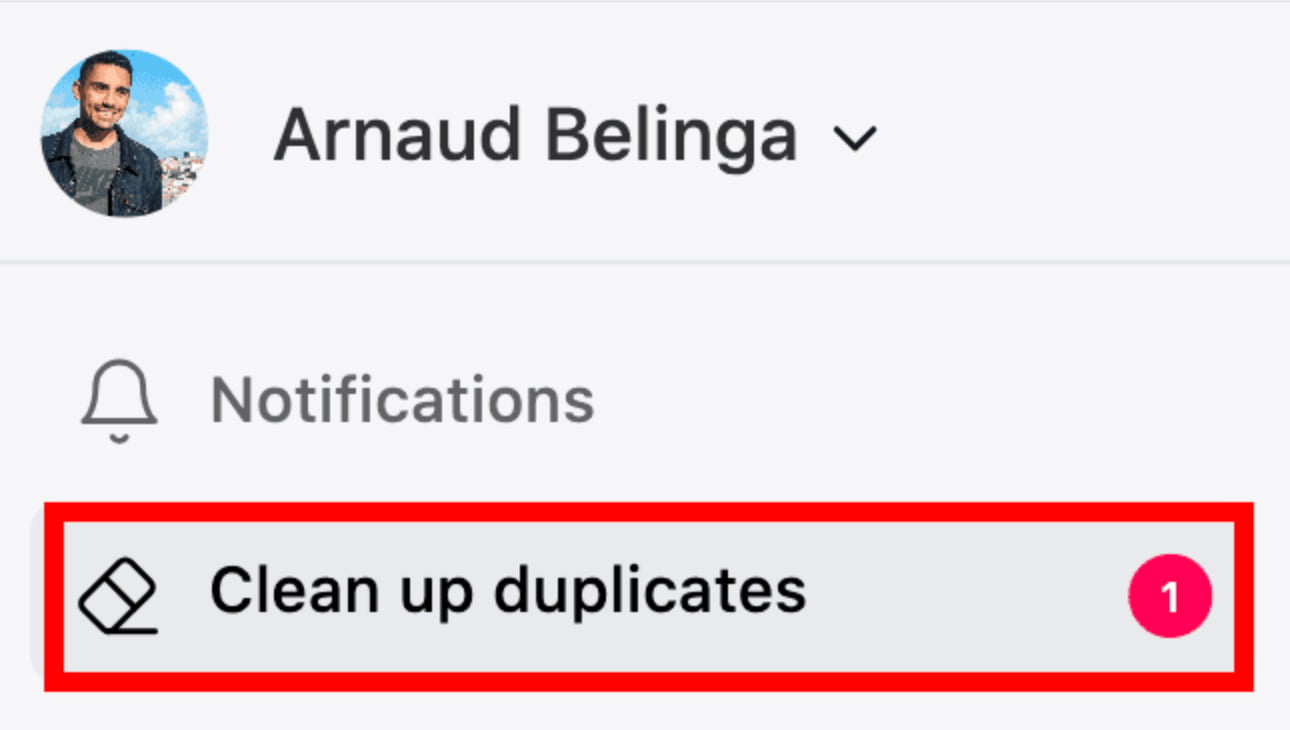
## Step 1: Go to "Clean up Duplicates"
Find it on the left side panel with the Eraser icon

 ## Step 2: Review the Duplicates
Breakcold will list contacts it detects as potential duplicates based on names, emails, or LinkedIn URLs.
⚠️ **Important Note:**
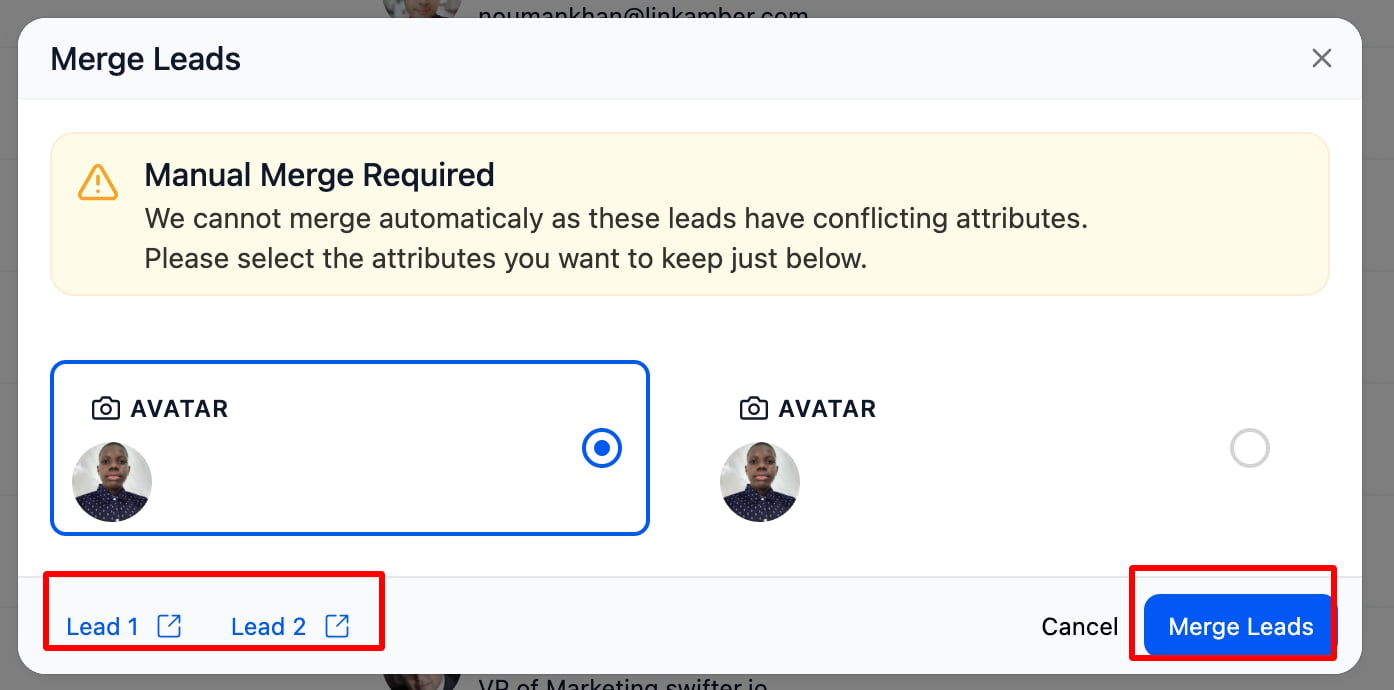
Sometimes duplicates have conflicting information (e.g. different emails or names). In these cases, **manual merge is required** you’ll need to select which data to keep for each field. Breakcold will handle the rest once you’ve made your selections.
* Same **full name**
* Same **email address** or **LinkedIn URL**
* And 20+ other smart criteria
## Step 2: Review the Duplicates
Breakcold will list contacts it detects as potential duplicates based on names, emails, or LinkedIn URLs.
⚠️ **Important Note:**
Sometimes duplicates have conflicting information (e.g. different emails or names). In these cases, **manual merge is required** you’ll need to select which data to keep for each field. Breakcold will handle the rest once you’ve made your selections.
* Same **full name**
* Same **email address** or **LinkedIn URL**
* And 20+ other smart criteria
 ## Step 3: Choose What to Do
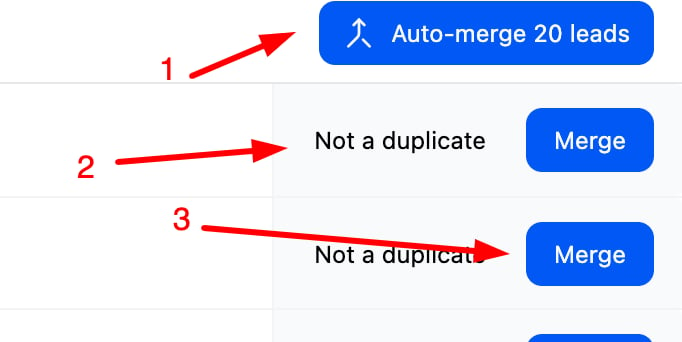
1. Auto-merge all duplicates
2. Manually merge contact
Mark as “Not a duplicate” if they’re actually different
## Step 3: Choose What to Do
1. Auto-merge all duplicates
2. Manually merge contact
Mark as “Not a duplicate” if they’re actually different
 ## Feature Preview