> ## Documentation Index
> Fetch the complete documentation index at: https://developer.breakcold.com/llms.txt
> Use this file to discover all available pages before exploring further.
# How do I edit a tag?
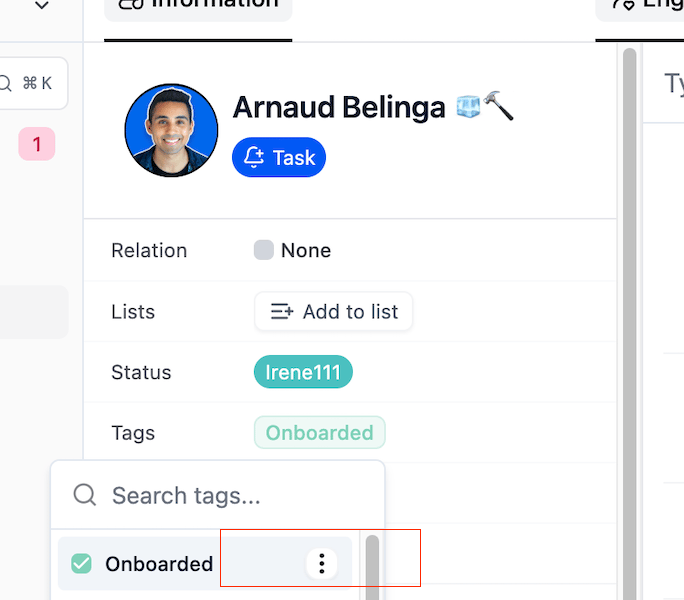
> You can edit a tag from two places: Lead Info Page: Go to the lead’s info page, hover over the tag name, and click the ellipsis (⋯) that appears.
You can edit a tag from two places:
**Lead Info Page:**
Go to the lead’s info page, hover over the tag name, and click the ellipsis (⋯) that appears. Then select the **Edit** option.
 2. **List View (People/Company/Pipeline):**
In the Tag column, click on a tag. A tag list will drop down. Hover over the tag you want to edit, and click the ellipsis next to it to access the **Edit** option.
2. **List View (People/Company/Pipeline):**
In the Tag column, click on a tag. A tag list will drop down. Hover over the tag you want to edit, and click the ellipsis next to it to access the **Edit** option.
